
Great question — and the good news is that since ComTrack already has all your commission data, we can actually answer that for you.
The Core Idea
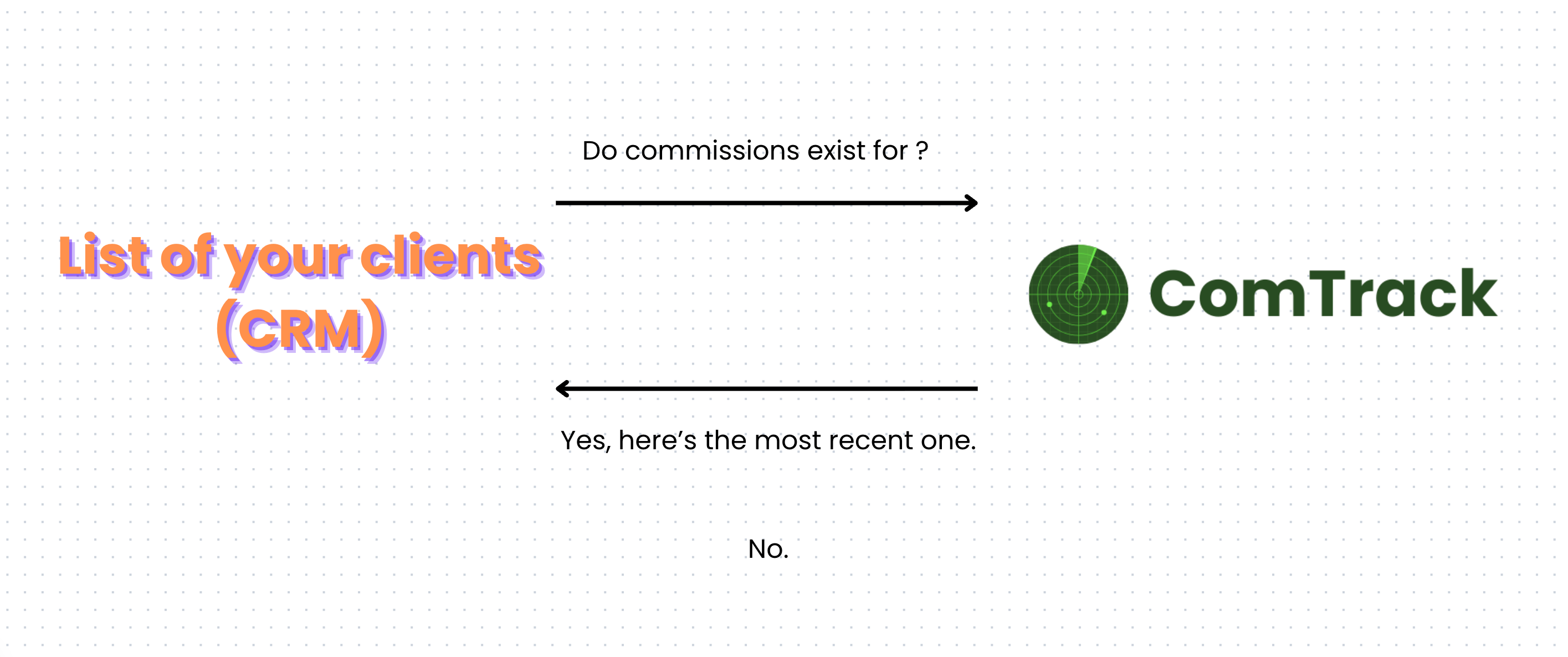
To figure out if you’ve been paid on a specific client, ComTrack cross-references your client list against the commission data in your account.
Example:
“John Smith is my client — do I have any commissions for him?”
ComTrack checks your All Time Data and responds either:
- ✅ Yes: “Here’s the most recent commission row for John Smith.”
- ❌ No: “No commissions found for this client.”
What “No Commissions Found” Might Mean
If ComTrack doesn’t find any commission records for a client, it could be because:
- The carrier never received the application.
- The policy didn’t go into effect.
- For Medicare Advantage, another Agent’s application “won” during AEP.
- There was an RFI (Request for Information) that was never completed.
- The carrier made a processing error.
- The policy is new and the first commission just hasn’t been paid yet.
How to Cross-Reference Your Client List
To run this check, ComTrack needs access to your client list. You can connect it in several ways:
- Reference – cross reference data in bulk.
-
Prebuilt CRM Integration
- GoHighLevel
- MedicarePro (coming soon)
- Zapier – connect to over 8,000 apps.
- API – for direct integrations.
Summary
Once your CRM or client list is connected, ComTrack can automatically tell you which clients you’ve been paid on — and flag any that haven’t generated commissions yet.
It’s the fastest way to answer the age-old question:
“Did I get paid on all my clients?”