
ComTrack

Download Statements

Aetna (Prod World agency)

Accessing Aetna's Updated UI for Reporting Step 1. Log In to Aetna Navigate to the Aetna login page. Enter your credentials to log in. Step 2. Navigate to Compensation and Reportin

1 min readUpdated

Accessing Aetna's Updated UI for Reporting


Step 1. Log In to Aetna

https://trello.com/1/cards/689c004c861df8539f60ebd4/attachments/68adc62bb95adff817f25d5e/download/image.png
  • Navigate to the Aetna login page.

  • Enter your credentials to log in.


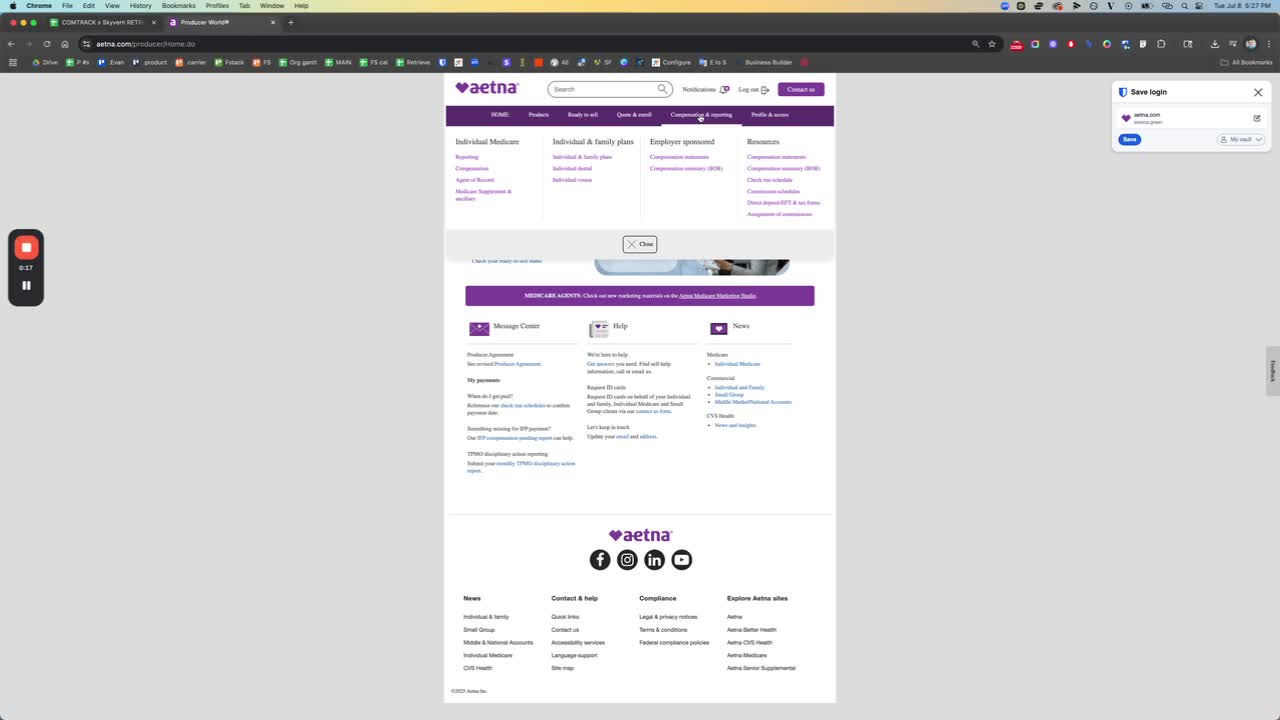
Step 2. Navigate to Compensation and Reporting
https://loom.com/i/df4b88a247114d1d9b88ce6ffc00e603?workflows_screenshot=true
  • Once logged in, look for the menu at the top of the screen.

  • Click on 'Compensation and Reporting'.


Step 3. Access Reporting for Individual Medicare

https://loom.com/i/df4b88a247114d1d9b88ce6ffc00e603?workflows_screenshot=true
  • In the Compensation and Reporting section, select 'Reporting'.

  • Click on 'Access Reporting'.


Step 4. Download Reports

https://trello.com/1/cards/689c004c861df8539f60ebd4/attachments/68adc663f4defac23ed22ff2/download/image.png
  • You will see a screen similar to the previous version.

  • Identify the available reports listed.

  • Download each report individually by selecting it and clicking the download option.


Step 5. Loop Through Available Selections

https://trello.com/1/cards/689c004c861df8539f60ebd4/attachments/68adc69aa31f48fc5b336126/download/image.png
  • For each report, repeat the download process.

  • Ensure to check all available selections to download all necessary files.