
ComTrack

Download Statements

BCBS AZ

Step 1: Introduction Welcome to the Blue Cross Blue Shield of Arizona report generation tutorial. This is the first time this process is being demonstrated. Step 2: Accessing the B

1 min readUpdated

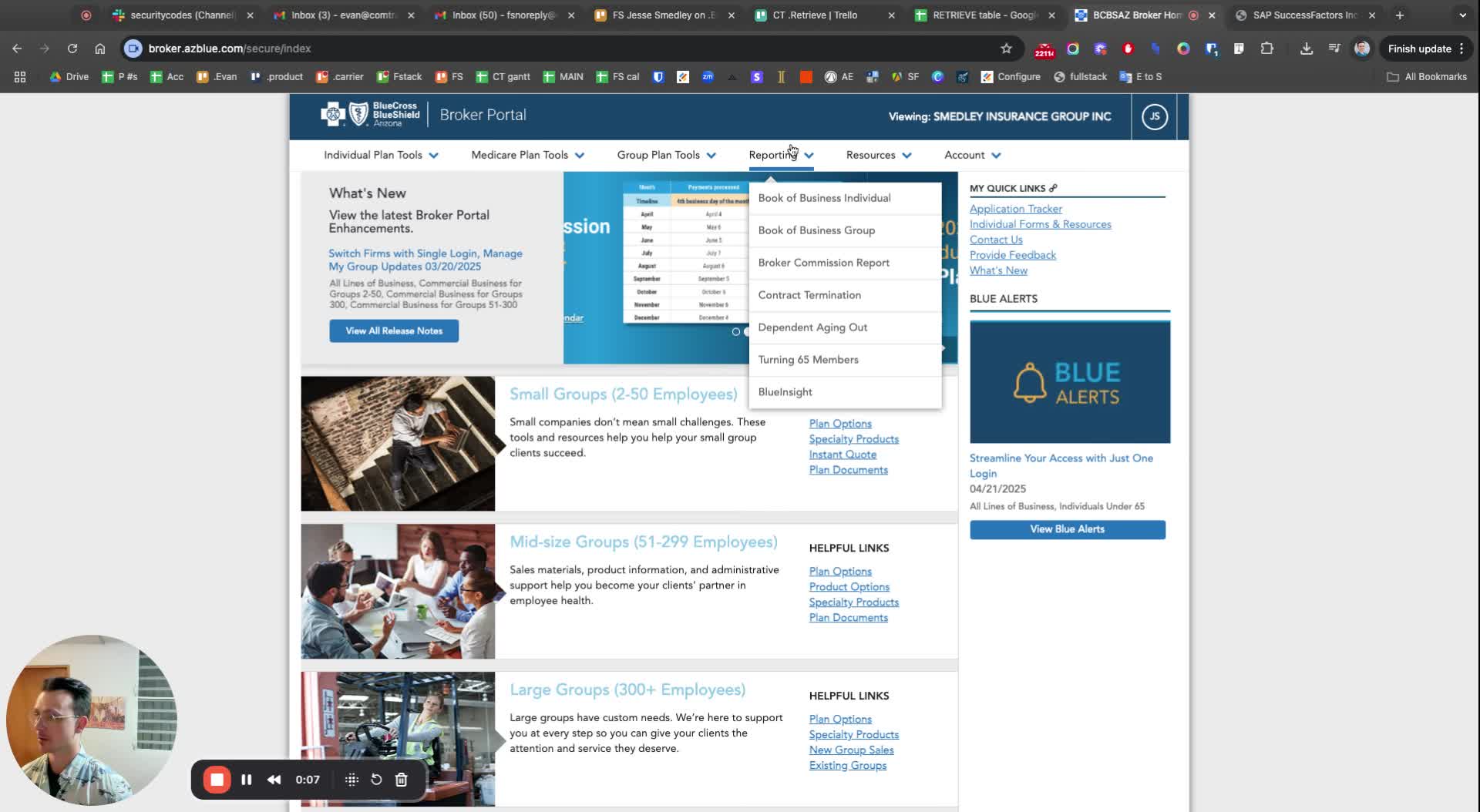
Step 1: Introduction
https://loom.com/i/973b951829464de58e7023d03438c953?workflows_screenshot=true
  • Welcome to the Blue Cross Blue Shield of Arizona report generation tutorial.

  • This is the first time this process is being demonstrated.


Step 2: Accessing the Broker Commission Report

https://loom.com/i/e01c906405294d07867e0942b8fa4190?workflows_screenshot=true
  • Locate the broker commission report option in the system.

  • This report is essential for tracking broker commissions.


Step 3: Exporting the Report

https://trello.com/1/cards/689c0043adfcd439aea5c6f4/attachments/68aeb2e0dda2e2323d2a592d/download/3.jpg
  • Choose the option to 'Export to Excel'.

  • This allows for easier manipulation and analysis of the data.


Step 4: Reviewing the Report

https://trello.com/1/cards/689c0043adfcd439aea5c6f4/attachments/68aeb2f3cca33a6c4c4cdc76/download/4.jpg
  • Check the report for accuracy and completeness.

  • Ensure that the report is labeled correctly (e.g., MR 2021).


Step 5: Running the Report

https://trello.com/1/cards/689c0043adfcd439aea5c6f4/attachments/68aeb304defeae2067d9e850/download/5.jpg
  • Click on 'Run Report' to generate the final output.

  • Wait for the system to process the request.


Was this article helpful?