
Guide to Downloading Compensation Reports
Step 1: Sign In and Enter Compensation PIN
Sign in using your username and password.
Enter the compensation PIN when prompted.
Step 2: Access Reports Section
After signing in, click 'OK' to proceed.
If not redirected automatically, click on 'All Reports'.
Step 3: Locate Compensation Reports
Scroll down to find the 'Compensation Report' section.
Select 'Compensation Report F-E-D-L-X-L'.
Step 4: Set Date Range for Reports
Enter the start date and end date as per the workflow requirements.
Step 5: Download Compensation Reports
Click to download the compensation reports for the selected months.
In the file name, include 'Mutual Loan Maha' and the date.
Step 6: Repeat for Other Reports
Move to the next report: 'Gerber Excel, Compensation Report'.
If the report is blank, proceed to the next.
Step 7: Download GPM Health Report
Select 'Compensation Report GPM'.
Hit 'Filter' and download the report.
Include 'GPM Health' and the date in the file name.
Step 8: Continue with Other Reports
Repeat the process for 'P.P.M. Excel', 'P.P.P. Excel', and 'W.D.L. Excel'.
Ensure to filter and download each report.
Step 9: Identify All Compensation Reports
Look for any report labeled 'Compensation Report' and 'Excel'.
Include any additional identifiers from parentheses in the file name.
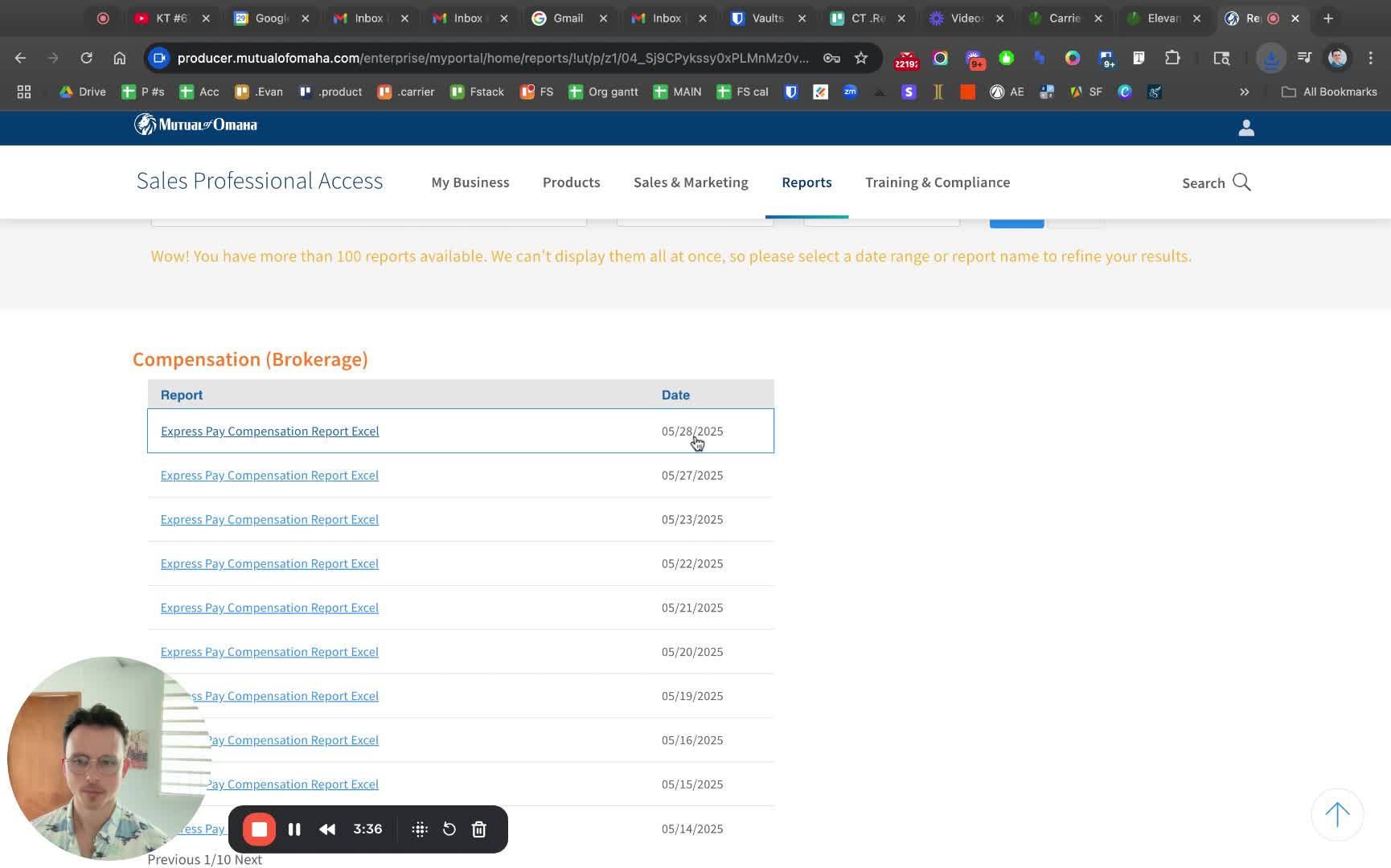
Step 10: Download ExpressPay Compensation Report
Check for 'ExpressPay Compensation Report'.
Download it with the appropriate date in the file name.
Step 11. Confirm Understanding
Review the steps to ensure clarity.
Reach out if there are any questions.