
ComTrack

Download Statements

BCBS SC

How to Access and Download Reports from Blue Cross of South Carolina Step 1: Access the Commissions Section Begin by navigating to the Blue Cross of South Carolina portal. Locate a
1 min readUpdated

How to Access and Download Reports from Blue Cross of South Carolina


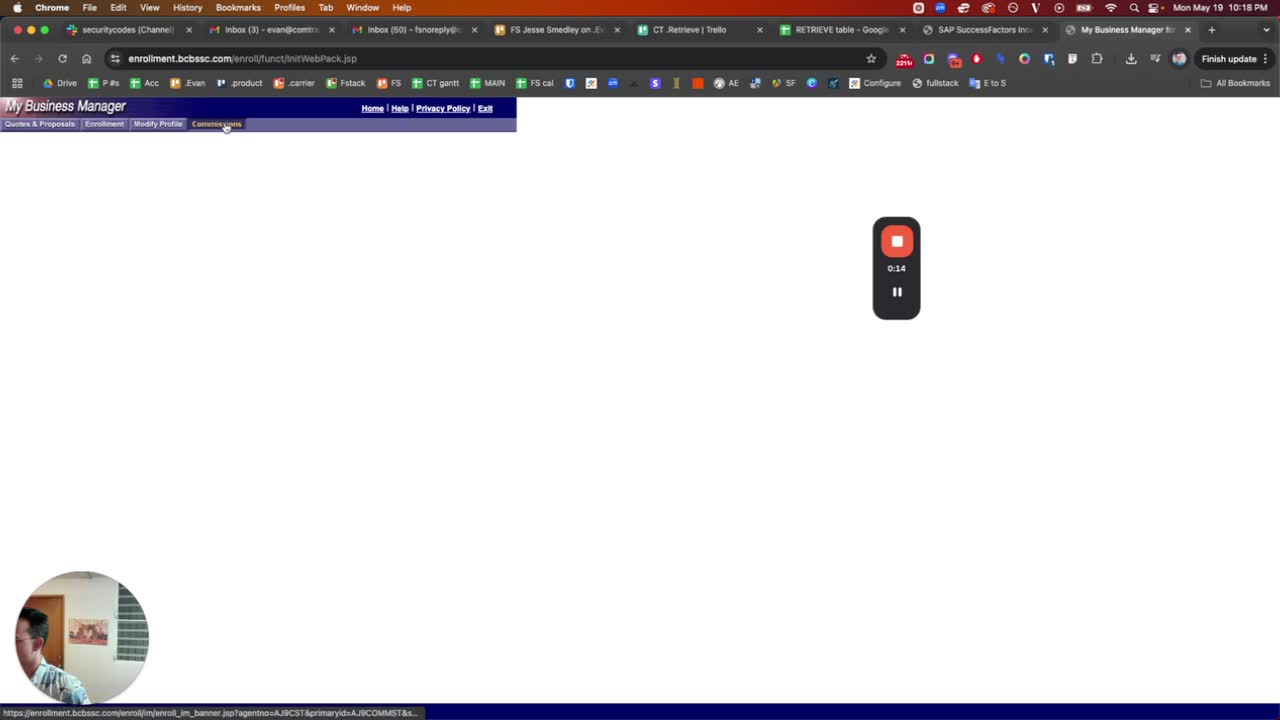
Step 1: Access the Commissions Section

https://trello.com/1/cards/689c0044f9baaa2b0b20bdcf/attachments/68aebe27ab9a9ebccec0650f/download/1.jpg
  • Begin by navigating to the Blue Cross of South Carolina portal.

  • Locate and click on the 'Commissions' section.


Step 2: Select the Correct Report

https://loom.com/i/90a666ee1a7e42cf9931ede6893e635b?workflows_screenshot=true
  • Look for the report options available.

  • Ensure to select the top left report option, avoiding any secondary options.


Step 3: Download the Report

https://trello.com/1/cards/689c0044f9baaa2b0b20bdcf/attachments/68aebe42ac73ee29c55cb4c1/download/3.jpg
  • Once the correct report is selected, proceed to download it.

  • The report will be in PDF format.

  • Name the file as 'Blue Cross Blue Shield South Carolina 04 2025', replacing '04 2025' with the appropriate report month.


Step 4: Repeat as Necessary

https://trello.com/1/cards/689c0044f9baaa2b0b20bdcf/attachments/68aebe54464e28b51d94e594/download/4.jpg
  • Follow the same steps for any additional reports needed.


Was this article helpful?