
Extracting Statements from Blue Cross Blue Shield of California
Step 1: Log In to Blue Cross Blue Shield of California
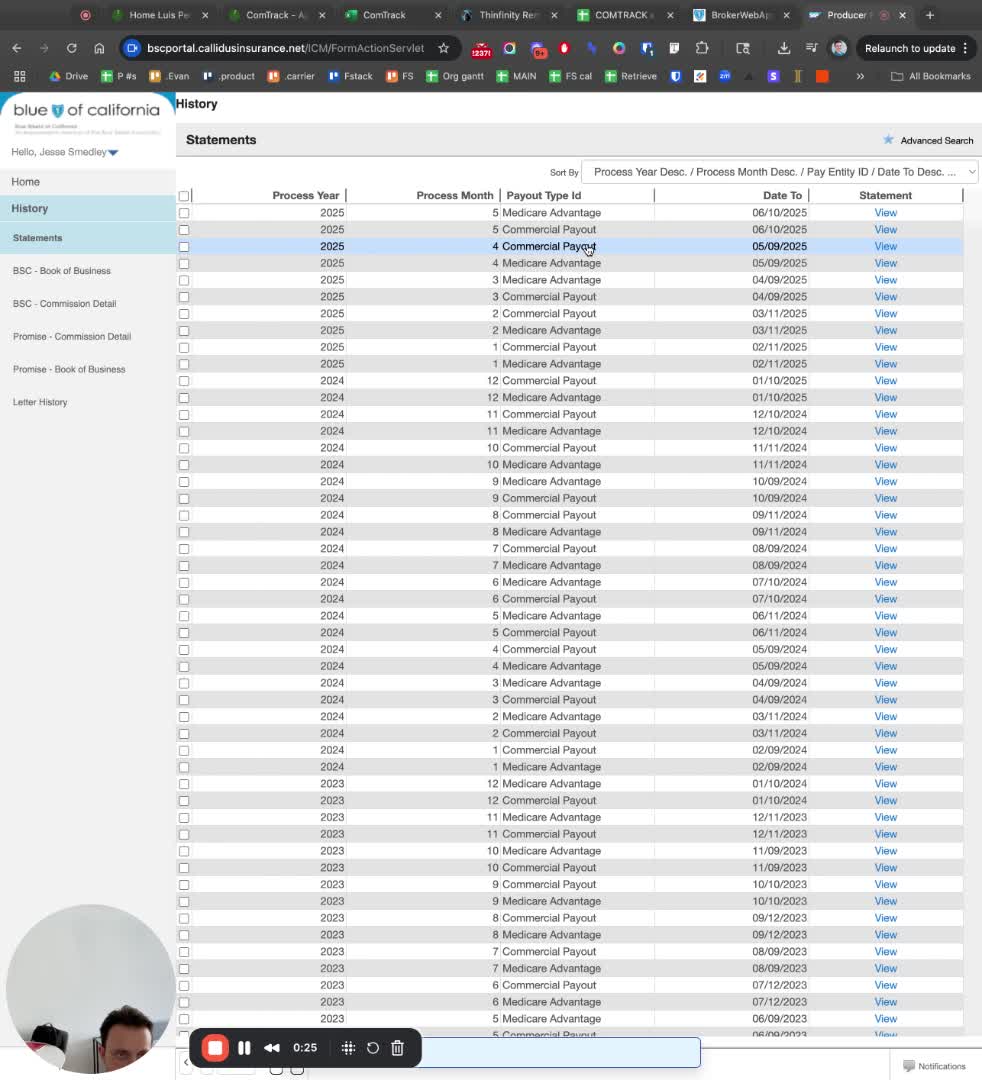
Access the Blue Cross Blue Shield of California website.
Enter your login credentials to access your account.
Step 2: Navigate to Commit Section
Once logged in, locate and click on the 'C Commit' option.
Step 3: Access Statement History
Click on 'History' in the menu.
Select 'Statements' from the dropdown.
Step 4: Select Desired Statement
Browse through the list of statements.
Click on the statement you wish to extract.
Step 5: Extract Statement Details
Instead of downloading the PDF, look for the option labeled 'Statement Detail Extract'.
Click on 'Extract' to proceed.
Step 6: Save the Extracted Statement
After extraction, you will be prompted to save the file.
Choose the appropriate file format (e.g., .expe-).
Name the file appropriately.
Step 7: Add Subject Information
In the subject line, include 'blue shield kelp'.
Step 8: Complete the Download
Finalize the download process.