
Objective
This SOP explains how to access a Blue Cross Blue Shield of Arizona commission statement, identify the key fields in the report, and interpret the commission calculations. It also outlines an easier method for reviewing the same statement inside ComTrack for a cleaner, more readable view.
Key Steps
1. Access the commission report in the broker portal 0:15
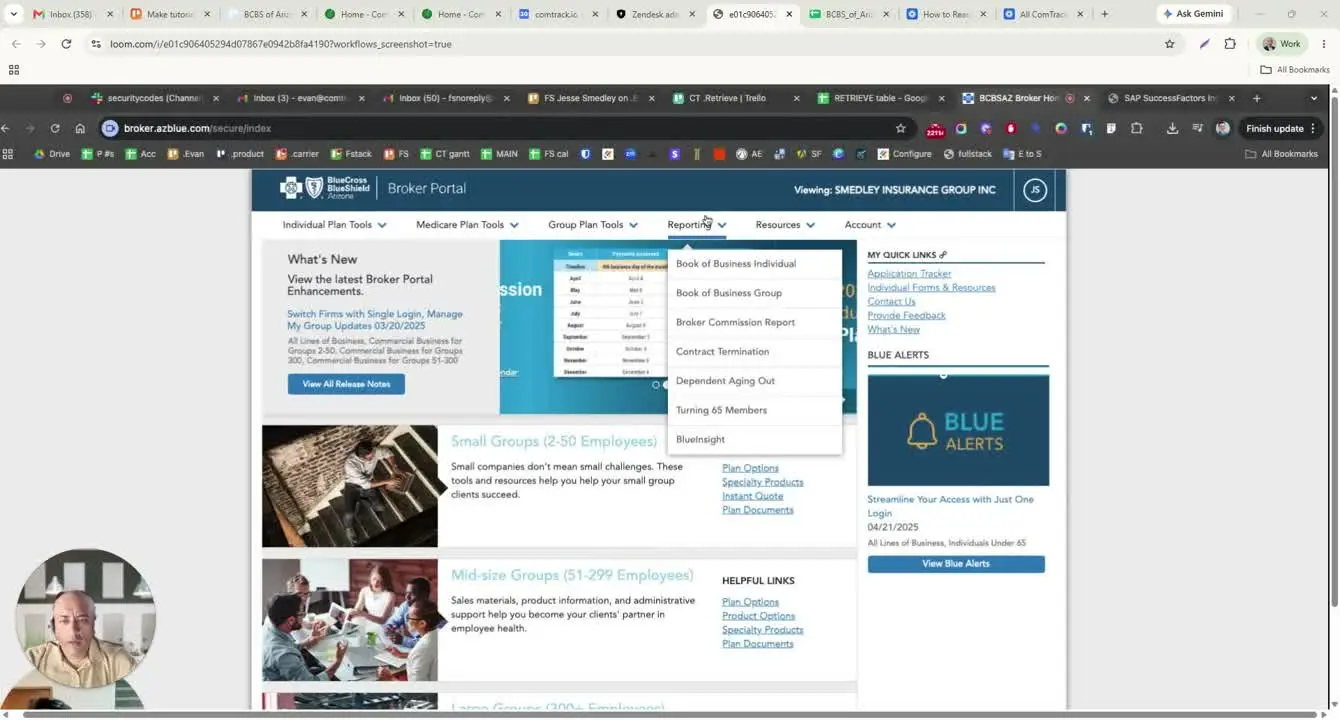
- Log in to broker.azblue.com.
- Navigate to Reports and Documents.
- Select Broker Commission Report to access the commission statement.
- Download the report as an Excel file for review.
2. Confirm the report generation date and writing agent details 0:42
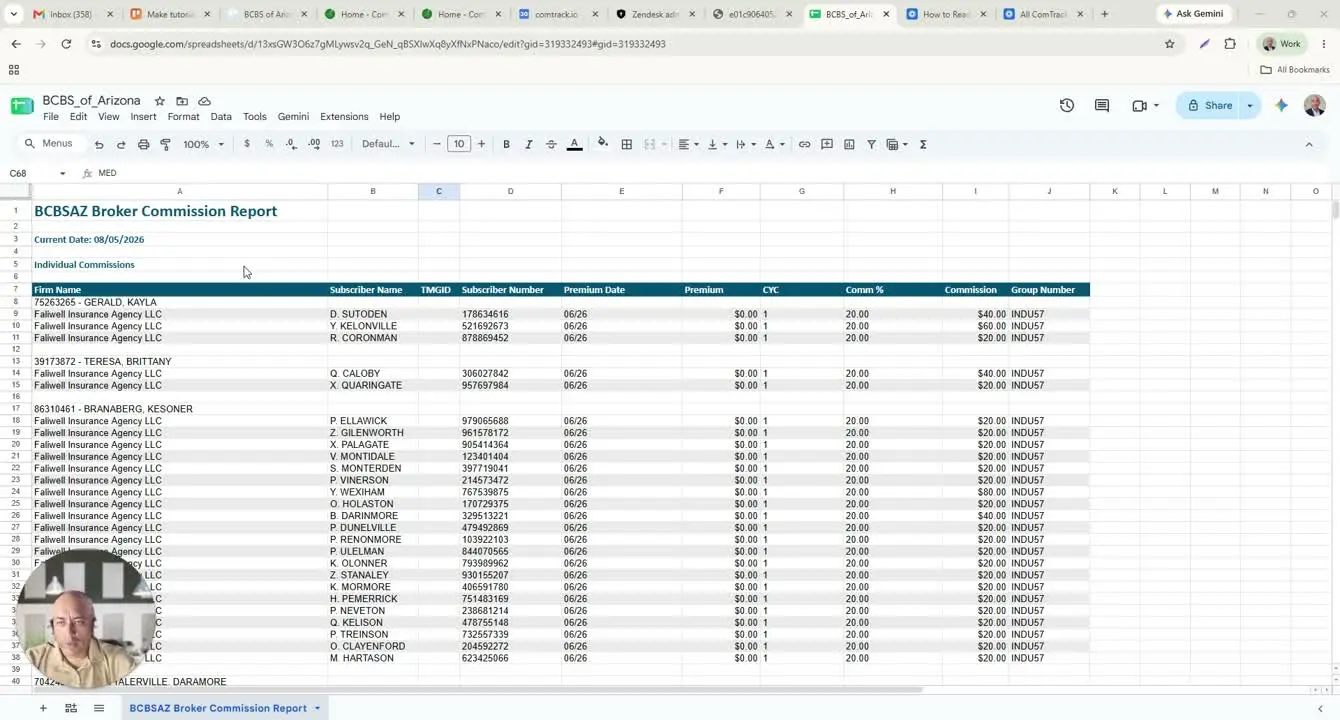
- Locate the generation date at the top of the report.
- Use this date to confirm when the report was created, not necessarily the current date.
- Identify each writing agent name and associated agent ID.
- Remember that all rows beneath an agent name belong to that agent until the next agent section begins.
3. Review subscriber and policy-level fields 1:10
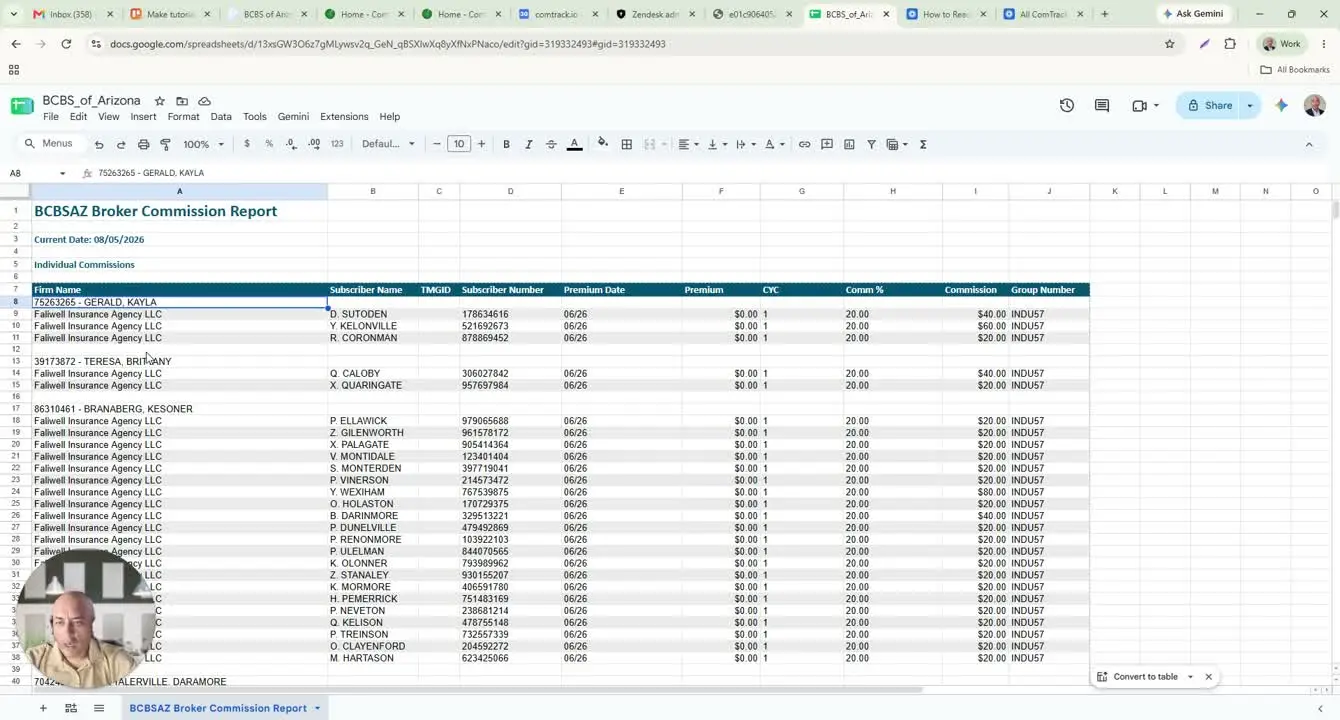
- Find the subscriber name, which represents the policyholder.
- Note that the subscriber name is typically shown in first initial + last name format.
- Review the subscriber number, which is the policyholder ID assigned by Blue Cross Blue Shield.
- Check the premium date / coverage date to confirm the applicable coverage period.
4. Interpret premium, cycle, and commission values 1:52
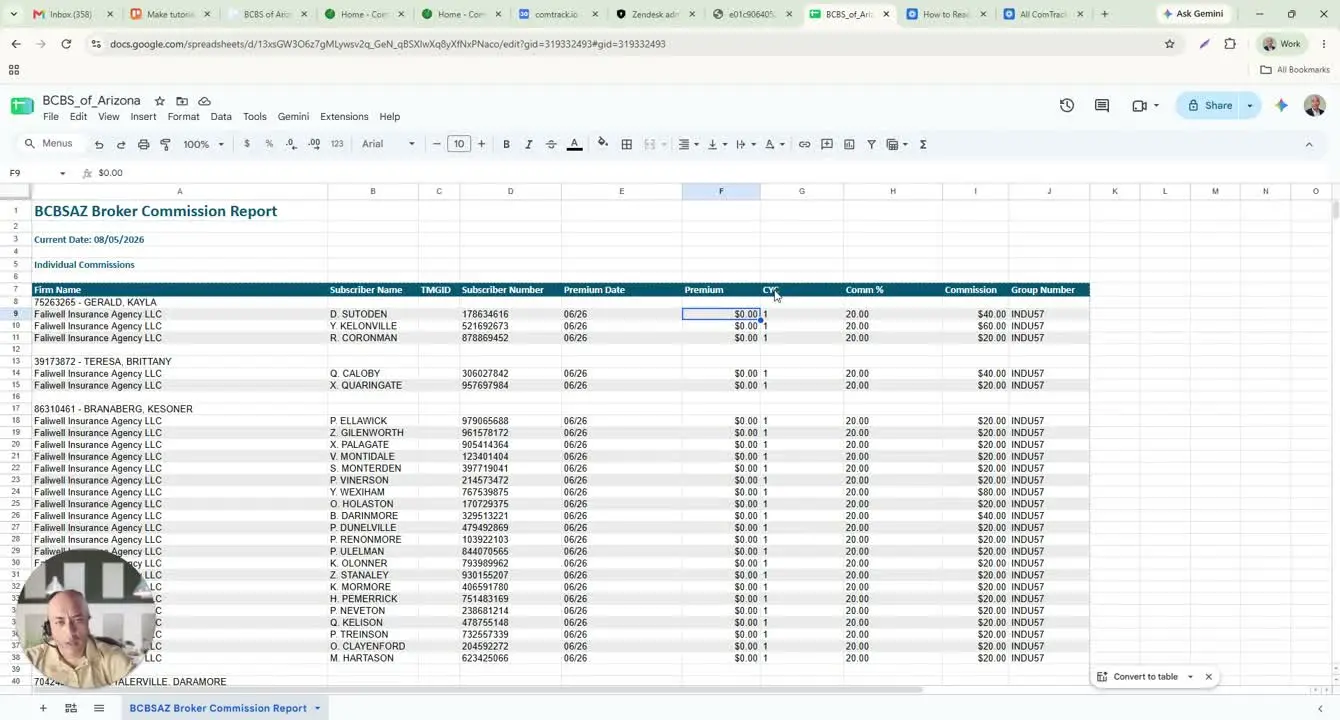
- Review the premium amount shown for the policy.
- Note the CYC field, which indicates the cycle number.
- Understand that the commission column may display a dollar amount rather than a percentage.
- Use the commission amount to calculate totals when the report shows repeated cycles or multiples of the base amount.
5. Identify group and plan information 2:43
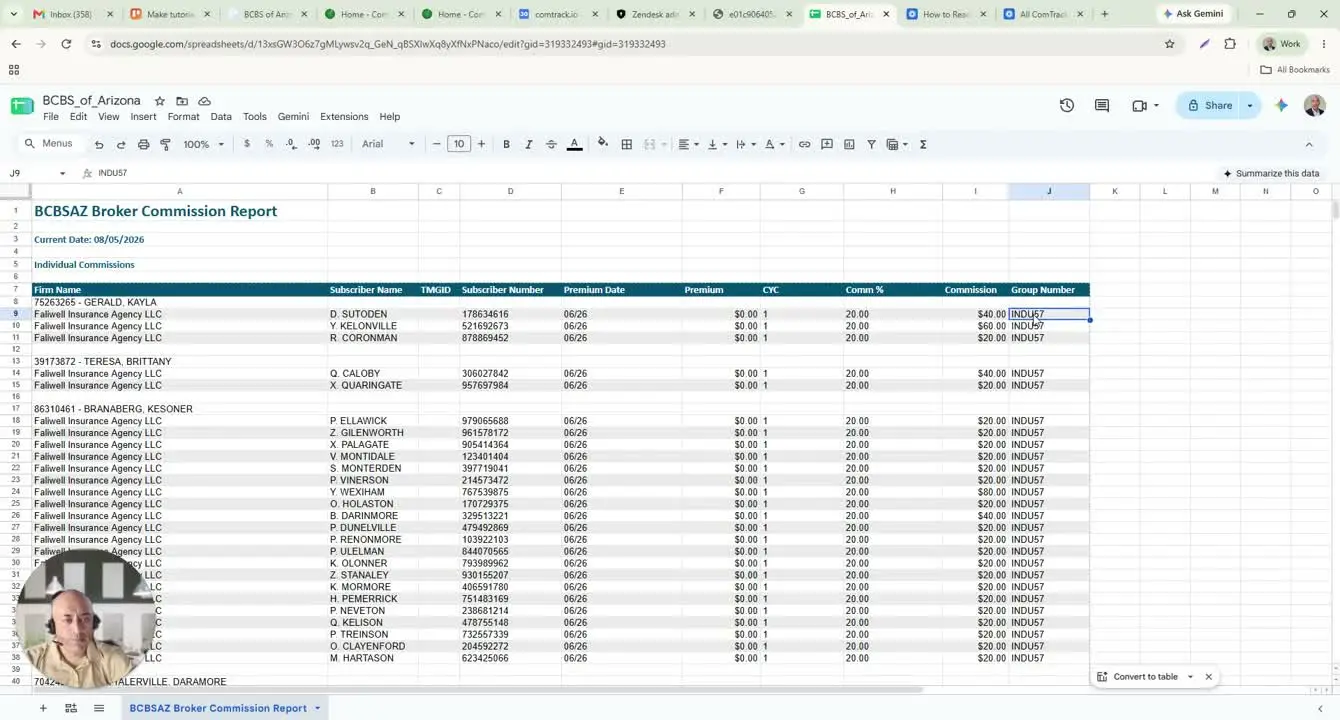
- Locate the group number, which identifies the plan pool or group plan.
- Check whether the group number is consistent across the report or if there are exceptions.
- Review any alternate plan or pool identifiers and note differences in per-policy amounts.
- Use this section to confirm which plan the commission belongs to.
6. Review group commission details and employer/product fields 3:05
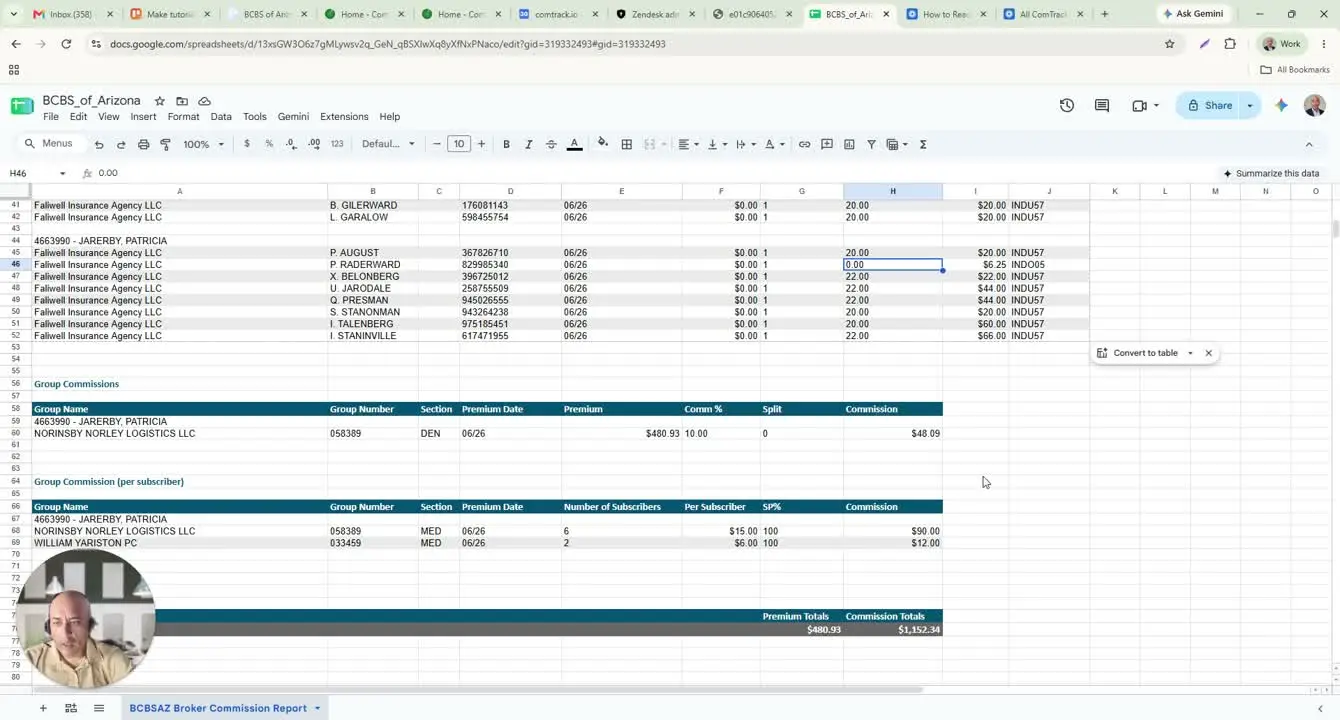
- Find the group commissions section for employer-based commission details.
- Identify the employer number, which serves as the employer identifier.
- Review the product code (for example, dental) to confirm the line of business.
- Check the premium date, premium amount, and commission percentage to understand how the commission was calculated.
7. Verify commission splits and per-subscriber commission amounts 3:57
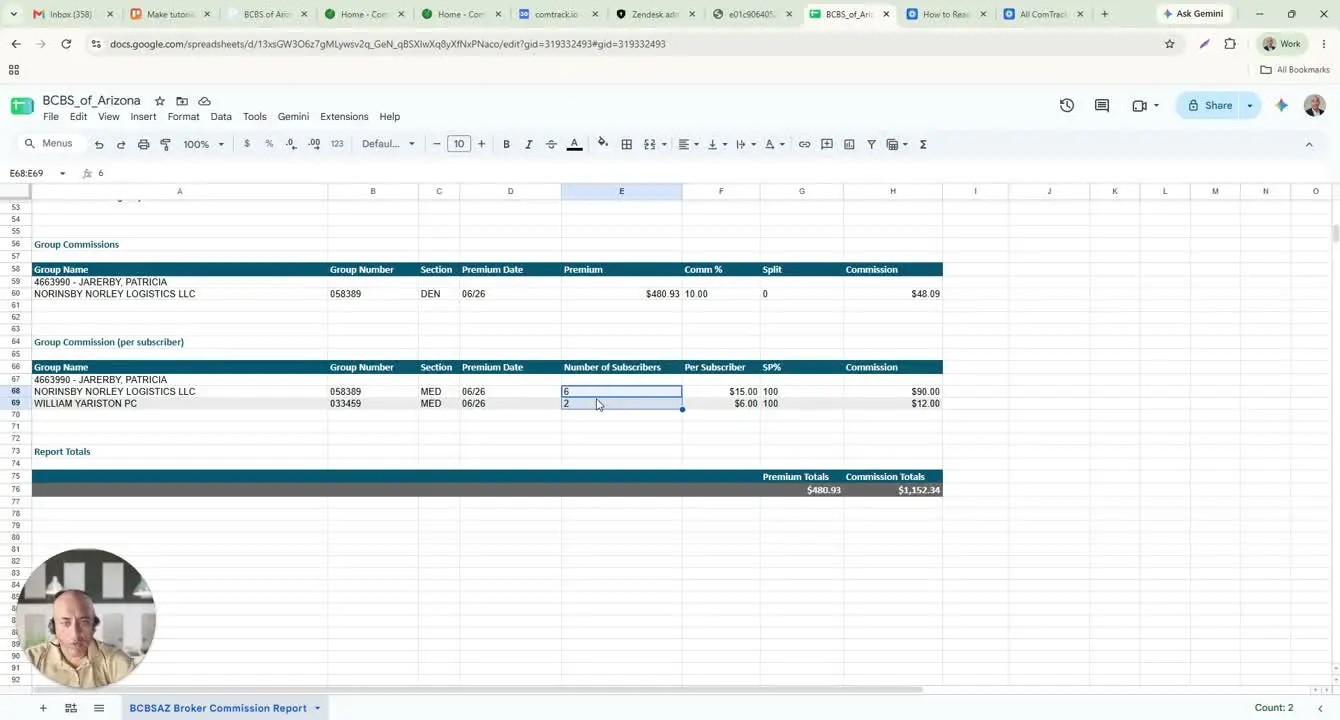
- Review the group commission per subscriber section.
- Confirm whether the commission is paid as a flat amount per subscriber.
- Multiply the per-subscriber commission by the number of subscribers to verify the total commission.
- Check the split percentage to confirm whether the commission is shared or assigned entirely to one agent.
- If the split is 100%, the commission is not divided among multiple agents.
8. Check totals and use ComTrack for easier review 4:34
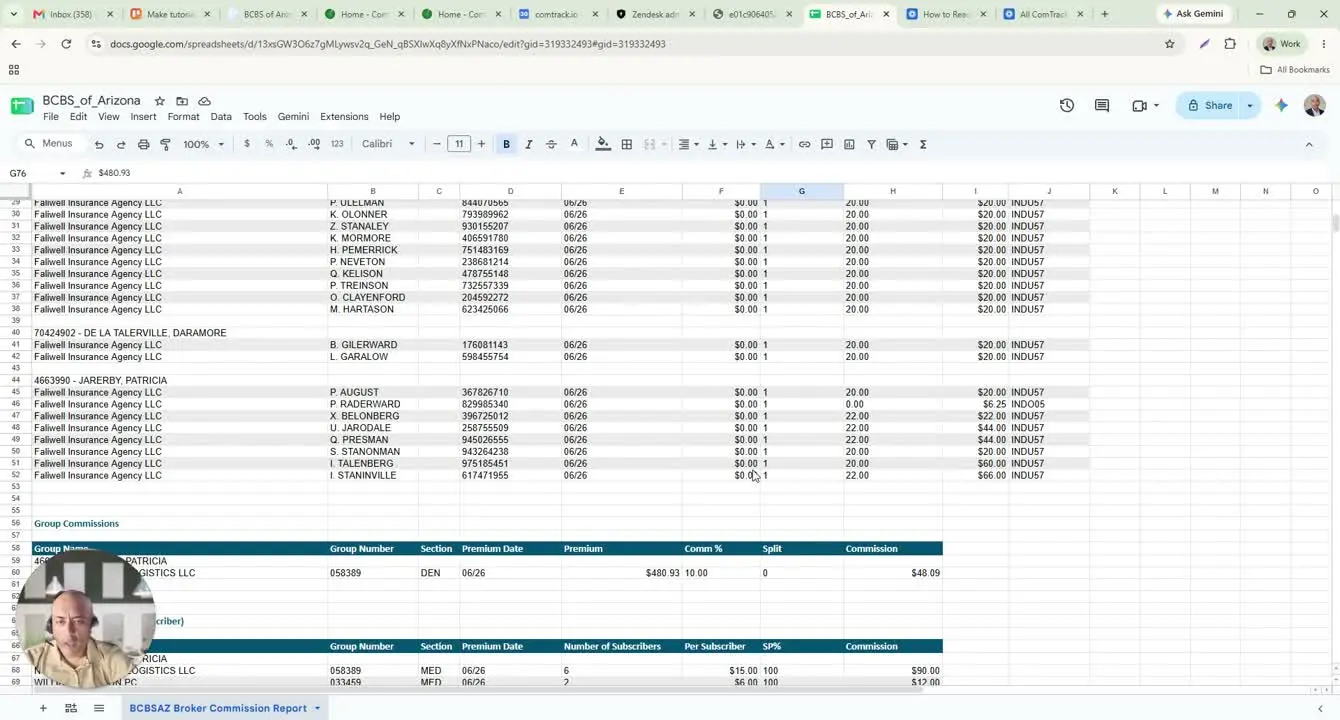
- Review the totals at the bottom of the commission report to confirm the final amounts.
- If the Excel report is difficult to interpret, upload the same commission statement into ComTrack.
- Use the Digest function to process the statement.
- Open All Time Data to view a cleaner format with agent names, carriers, pay periods, client names, premium amounts, and commission amounts.
- Use ComTrack when you need a faster, more readable summary of commission activity.
Cautionary Notes
- Do not assume the commission column is always a percentage; in some cases, it is a dollar amount.
- Verify the generation date so you do not confuse the report date with the current date.
- Confirm which rows belong to which agent before using the data for reconciliation or payment review.
- Check for exceptions in group numbers or plan pools, as some policies may differ from the main pattern.
- Validate split percentages carefully to ensure commissions are not misattributed.
- Use the report totals as a final check, but investigate any unexpected differences before taking action.
Tips for Efficiency
- Use the Excel download for detailed line-by-line review and calculations.
- If the report is hard to read, switch to ComTrack for a cleaner, organized view.
- Focus first on the agent name, subscriber name, premium amount, and commission amount to quickly orient yourself.
- Use the split percentage and per-subscriber amount to verify totals faster.
- Keep a simple checklist for each report: date, agent, subscriber, premium, commission, split, total.
- When reviewing multiple entries, group them by agent to reduce confusion and speed up reconciliation.