
Objective
This SOP explains how to access, download, and interpret a Guaranteed Trust Life commission statement. It also outlines an optional automated method for retrieving statements to save time and reduce manual work.
Key Steps
1. Log in and open the Commissions section 0:09
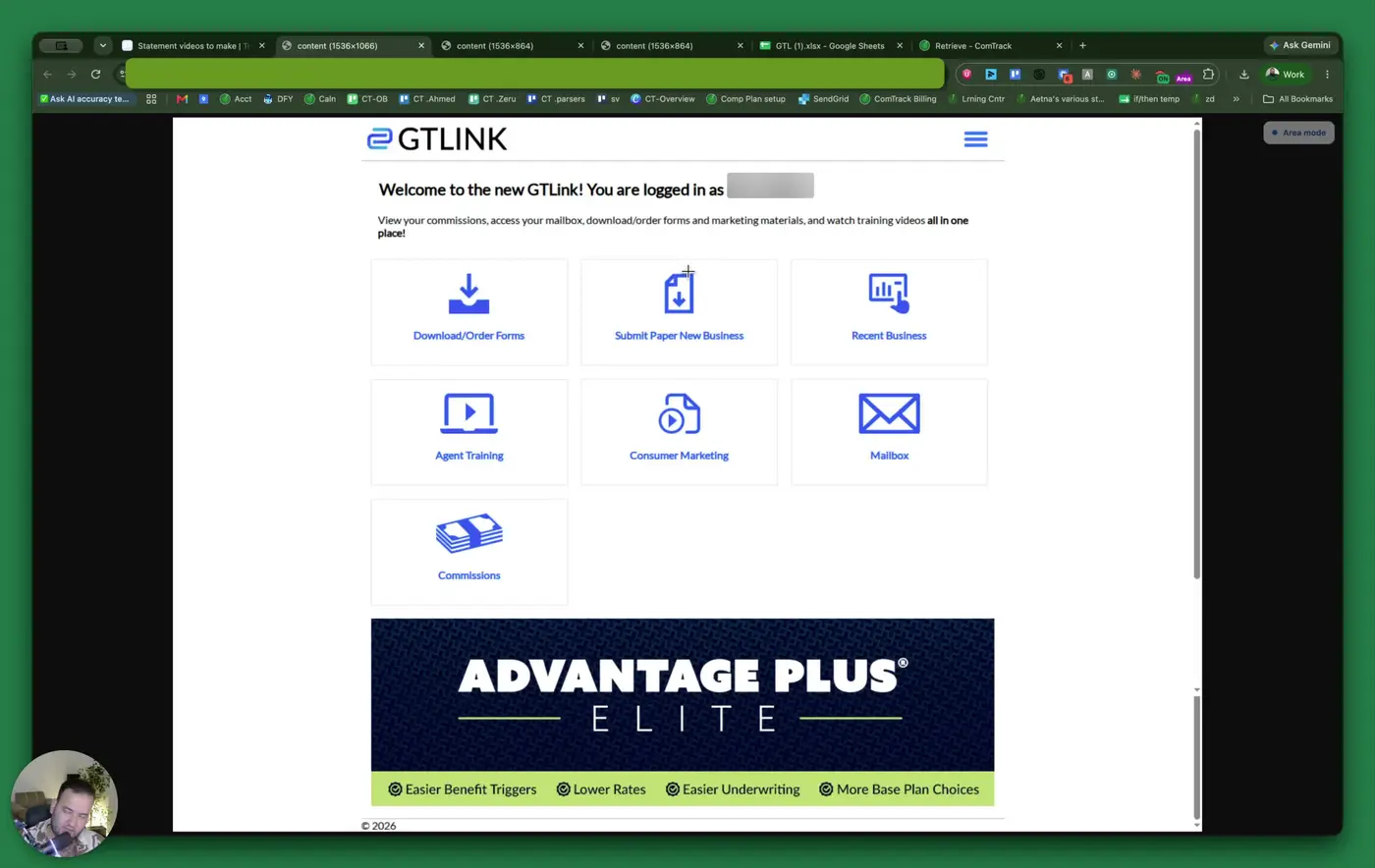
- After logging in, you will land on the home page.
- Click Commissions to open the commissions area.
- Confirm you are on the page that shows the available commission modes.
2. Select Weekly Commissions and enter the required filters 0:18
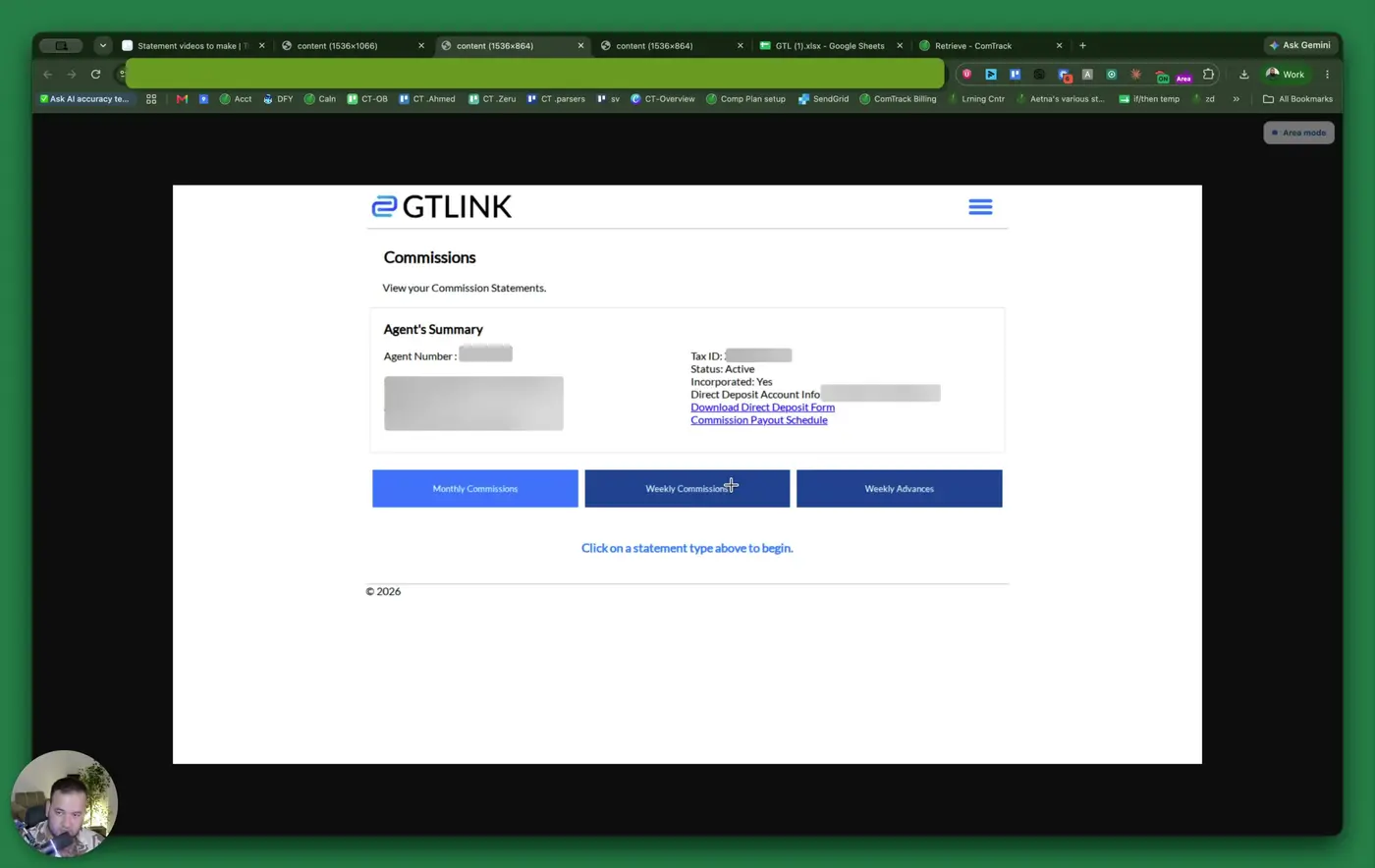
- Choose Weekly Commissions.
- Select the appropriate agent number from the drop-down menu.
- Enter the date for the commission statement you want to review.
- Use the date the commission was paid, or the end date of the commission period you need.
3. Generate the commission statement 0:43
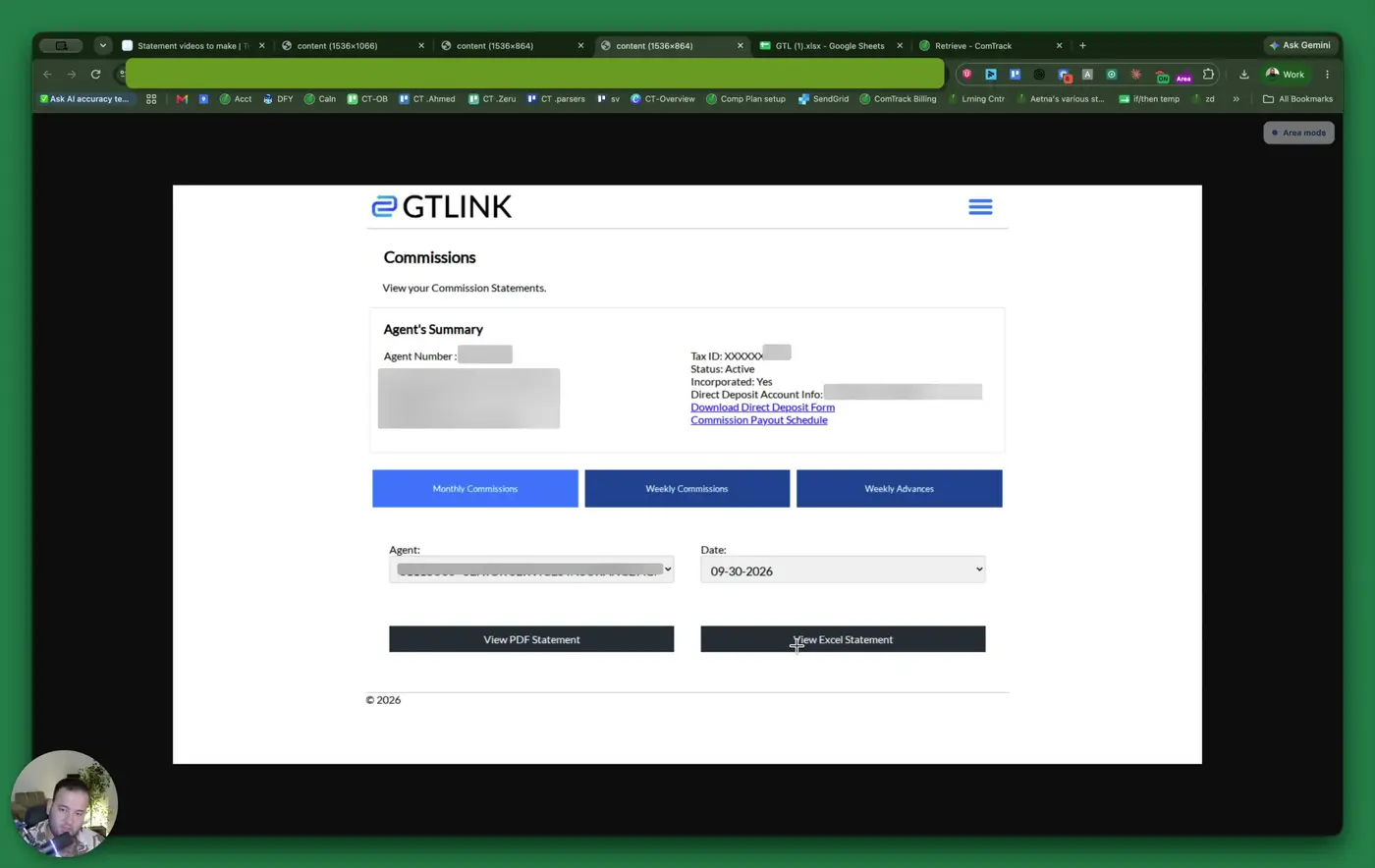
- Click View Excel Statement.
- Wait for the statement to load or download.
- Open the Excel file to review the commission details.
4. Review the policy and client information columns 0:54
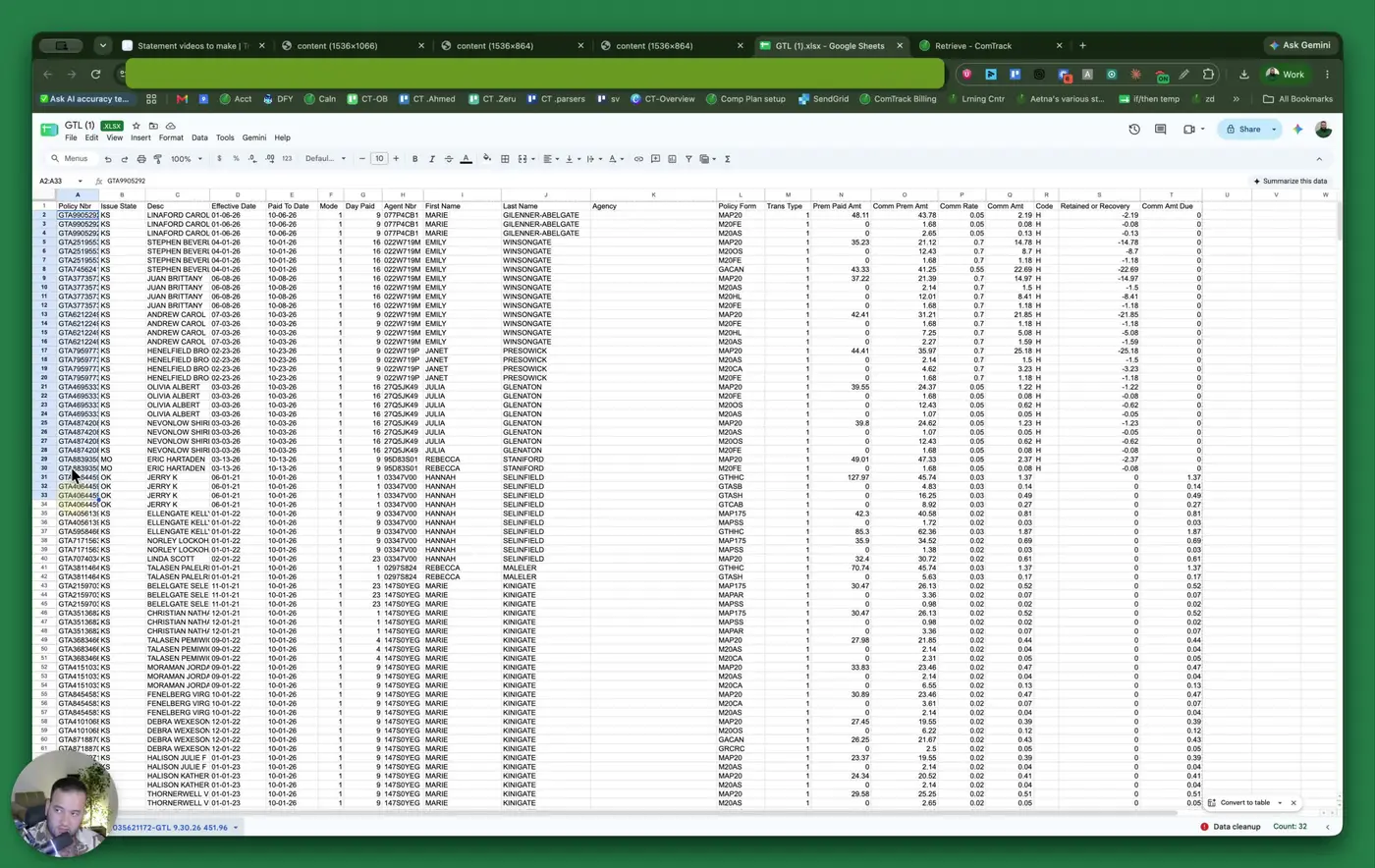
- Start with the policy number column to identify the policy.
- Review the issue state to confirm where the policy was issued.
- Check the desk/description field, which represents the client name.
- Review the effective date and paid-to date to understand policy timing and payment status.
5. Understand payment frequency and agent details 1:29
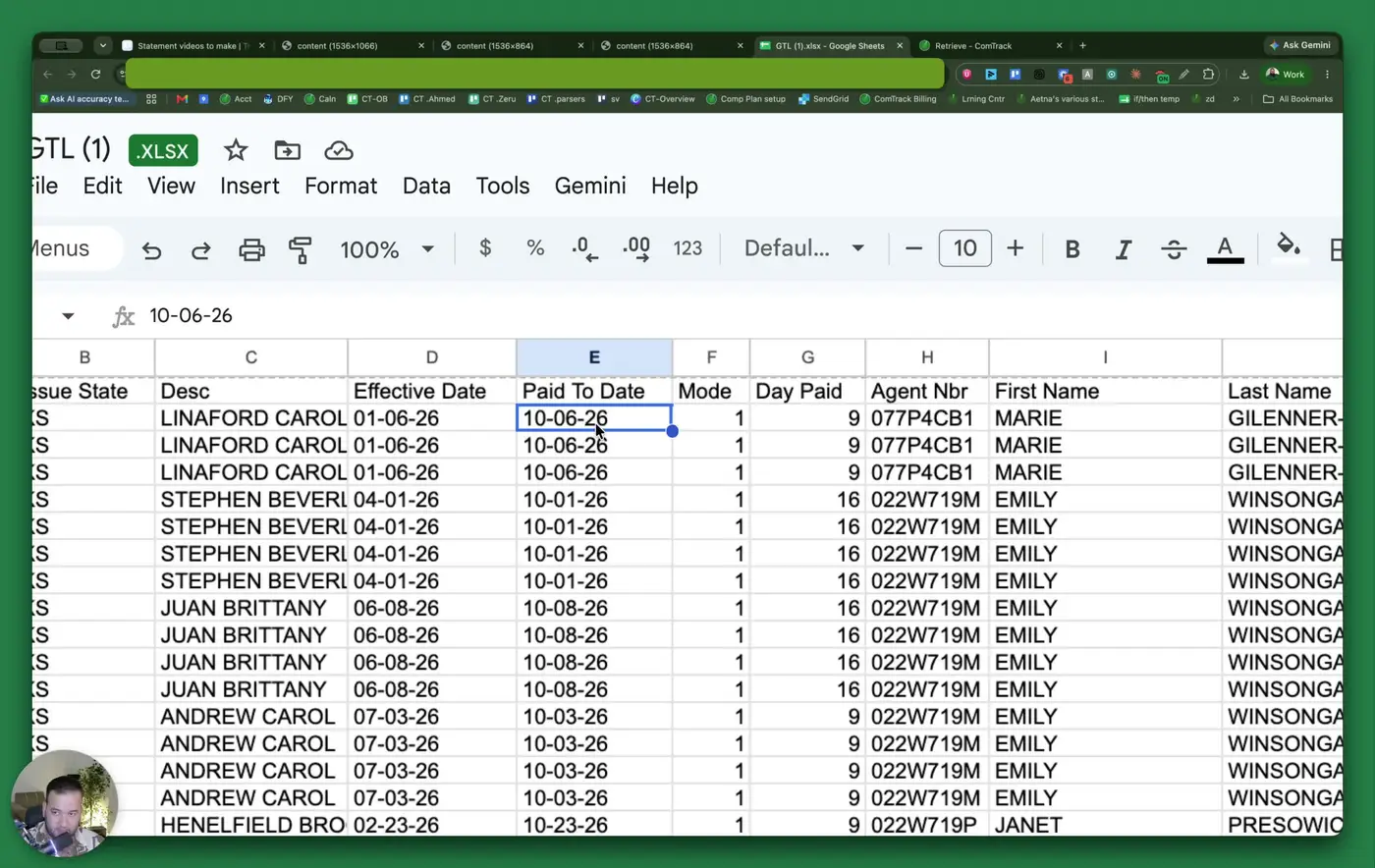
- Check the mode field to see how often the client pays.
- Example:
1means monthly.
- Example:
- Review the paid day field to see the day of the month the payment is drafted.
- Confirm the agent number, which is the GTL agent ID.
- Verify the first name, last name, and agency fields for the correct agent or agency record.
6. Interpret transaction and commission fields 2:21
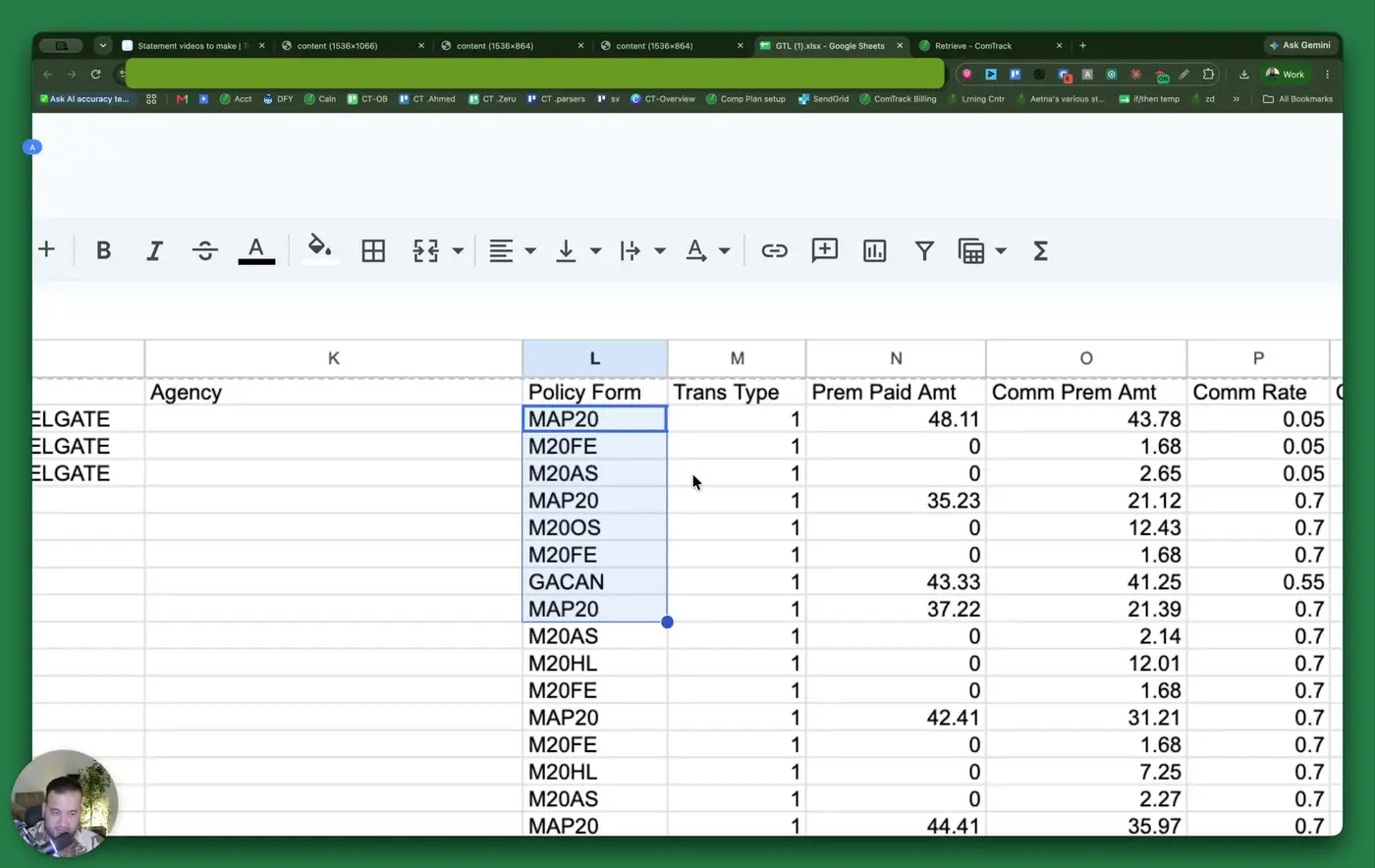
- Review trans type to identify the transaction type.
- Example:
1indicates a normal premium payment.
- Example:
- Check premium paid amount to see how much the client paid.
- Review commission premium amount to identify the portion of premium used to calculate commission.
- Confirm the commission rate and calculate expected commission if needed.
- Example: premium × commission rate = commission earned.
7. Check held amounts and final commission due 3:08
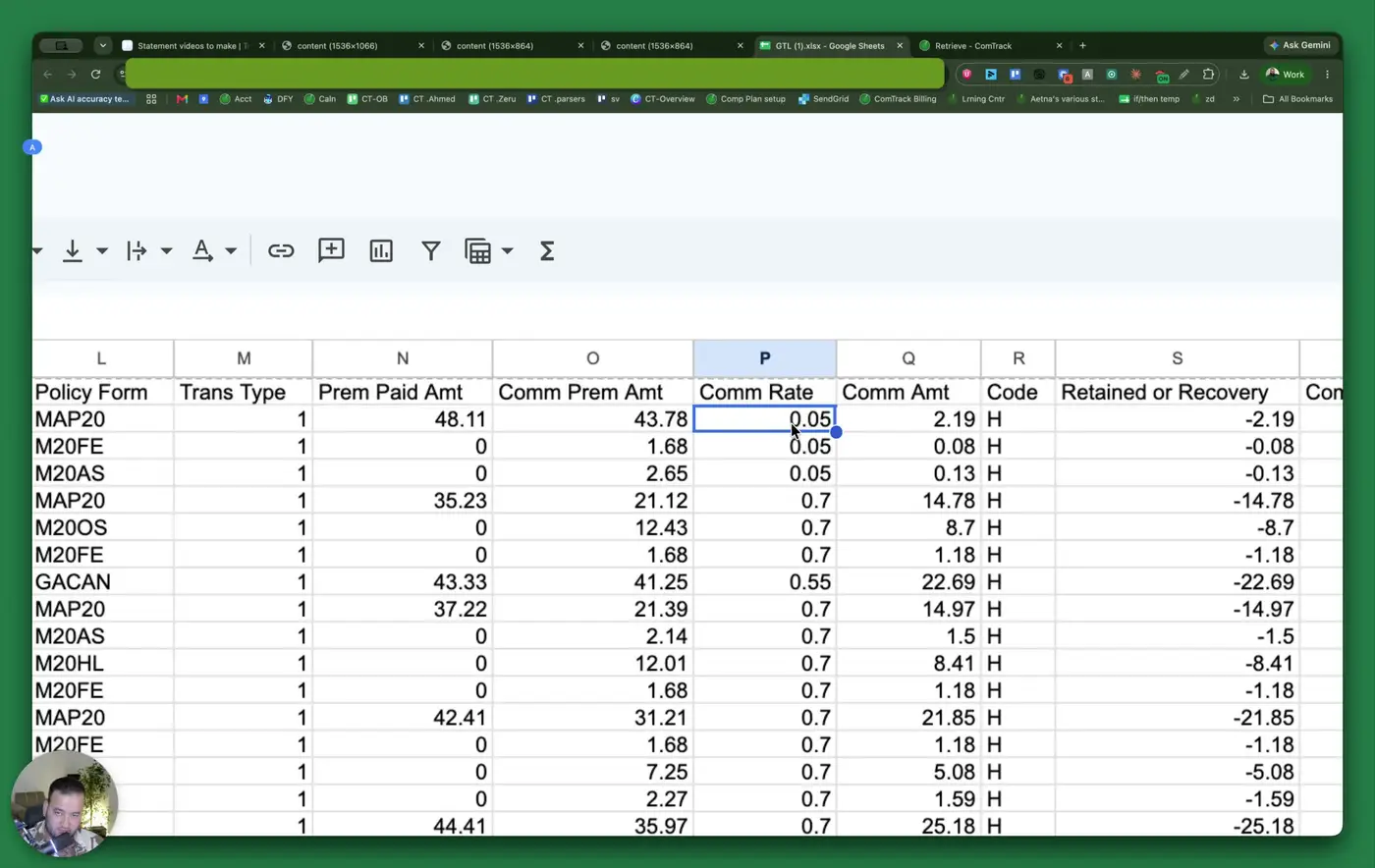
- Review the code H / held field to see whether GTL withheld part of the commission.
- Compare the held amount to the commission amount due.
- If the held amount equals the commission amount, the final commission due may be $0.
- If the held amount is $0, the full commission amount should be paid.
8. Use Retrieve for automated statement downloads 4:14
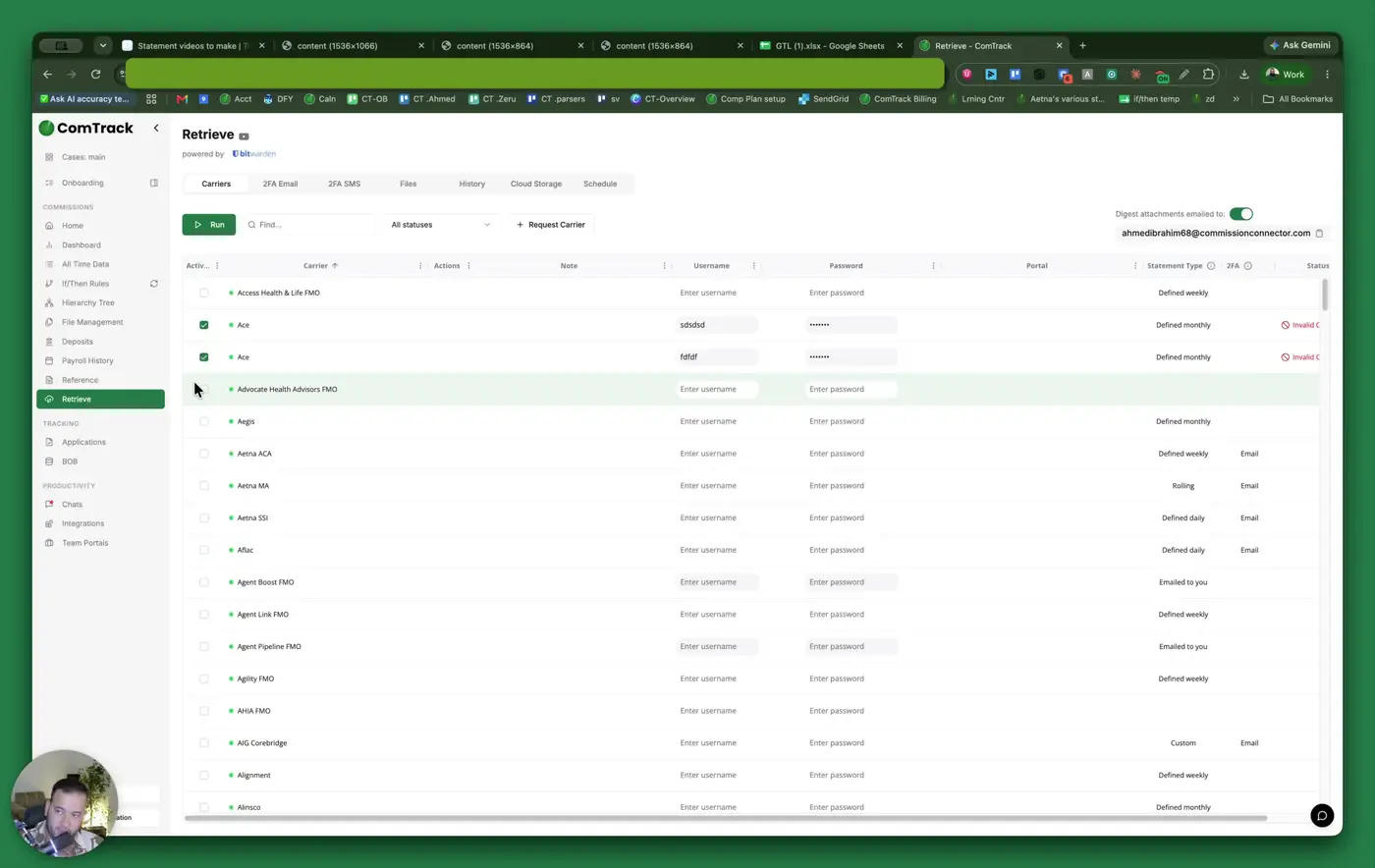
- If you want to avoid downloading statements manually each week or month, use Retrieve.
- In Retrieve, search for Guaranteed Trust Life.
- Choose the correct account type: agency or agent.
- Enter your username and password to connect to the GTL portal.
9. Run the automated retrieval and access files 4:32
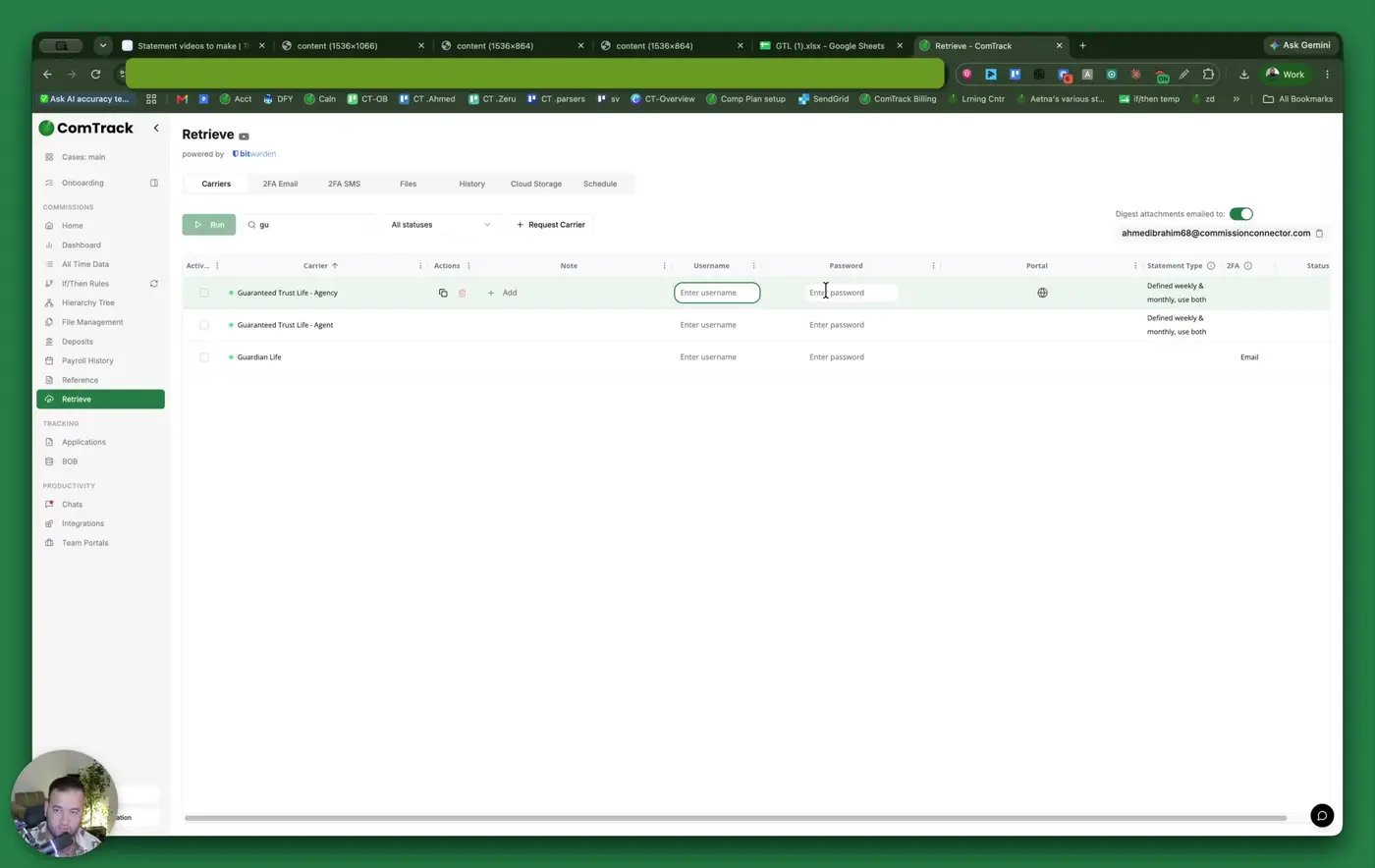
- Click Run to begin the retrieval process.
- Select how far back to retrieve statements:
- 30 days
- 60 days
- 90 days
- Or a custom time frame
- Click Start Retrieve.
- Allow about 20 minutes for the files to appear in ComTrack.
10. Review and manipulate retrieved data 5:00
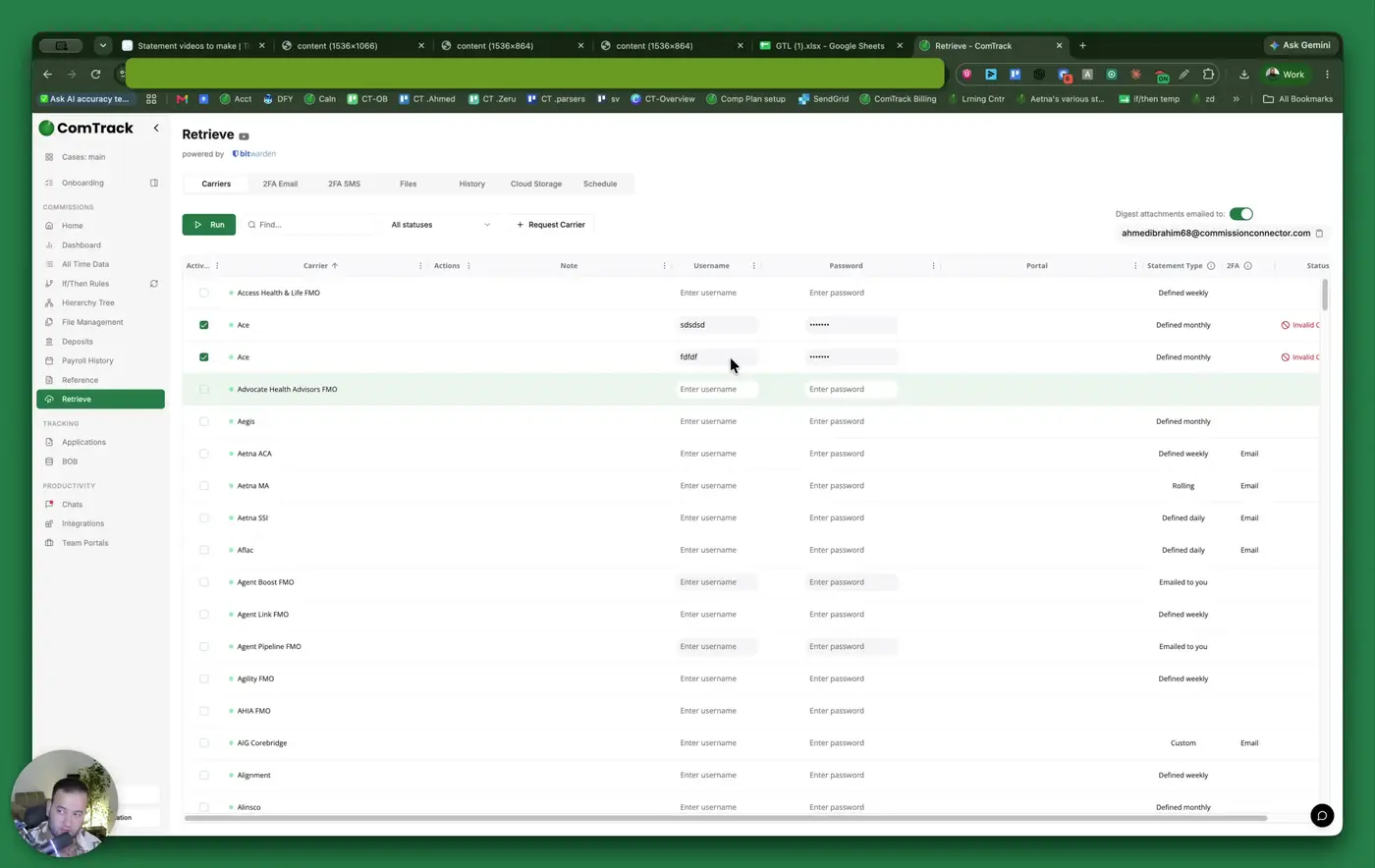
- Once files are available, review statements from all carriers, not just GTL.
- Use the available tools to:
- Filter by specific carriers
- Filter by specific agents
- Filter by payment periods
- Use the retrieved data for further analysis or reporting as needed.
Cautionary Notes
- Ensure the agent number and date entered match the statement period you need; incorrect filters may return the wrong file.
- The desk field may be described as a client name, so do not confuse it with a physical desk or office location.
- A held amount can reduce the final commission due to zero, so always compare the held amount against the commission amount.
- When using Retrieve, verify that your username and password are correct before starting the process.
- Retrieval may take about 20 minutes, so do not assume the process failed if files do not appear immediately.
Tips for Efficiency
- Use Retrieve instead of manual downloads to save time and reduce repetitive work.
- Keep a consistent naming or filing process for downloaded statements so they are easy to locate later.
- When reviewing statements, focus first on the fields that affect payment: premium paid amount, commission rate, held amount, and commission amount due.
- If you regularly review the same agent or carrier, save your common filters or workflow steps where possible.
- Use the retrieved data tools to narrow results by carrier, agent, or payment period for faster analysis.