
Objective
This SOP explains how to download a Prosperity Life commission statement, interpret the key fields, and import the file into ComTrack for easier review and formatting. It is designed to help a team member quickly identify commission details and understand how totals are handled.
Key Steps
1. Download the commission statement from the Prosperity Life agent portal 0:00
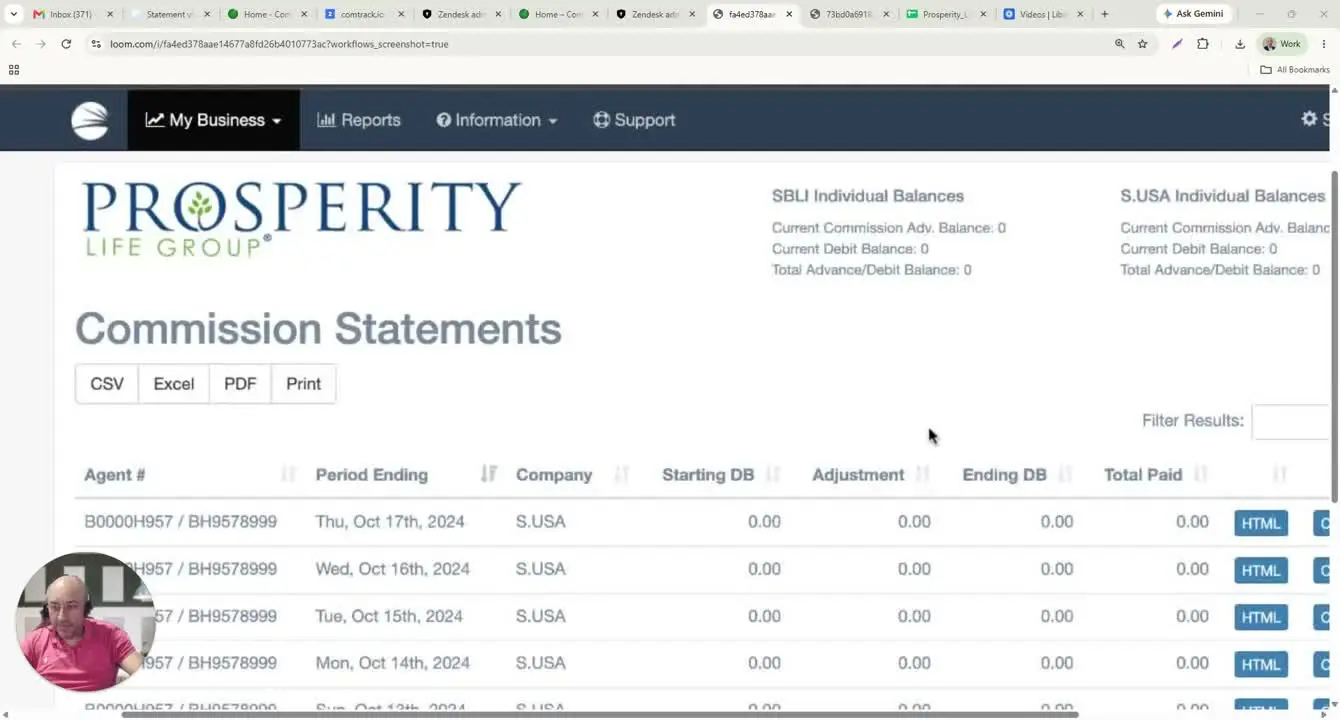
- Log in to the Prosperity Life agent portal.
- Navigate to My Business.
- Select Commission Statements.
- Choose the statement month or period you want to download.
- Select the file format, typically CSV.
- Download the file to your computer.
2. Open the downloaded CSV and identify the main commission fields 0:35
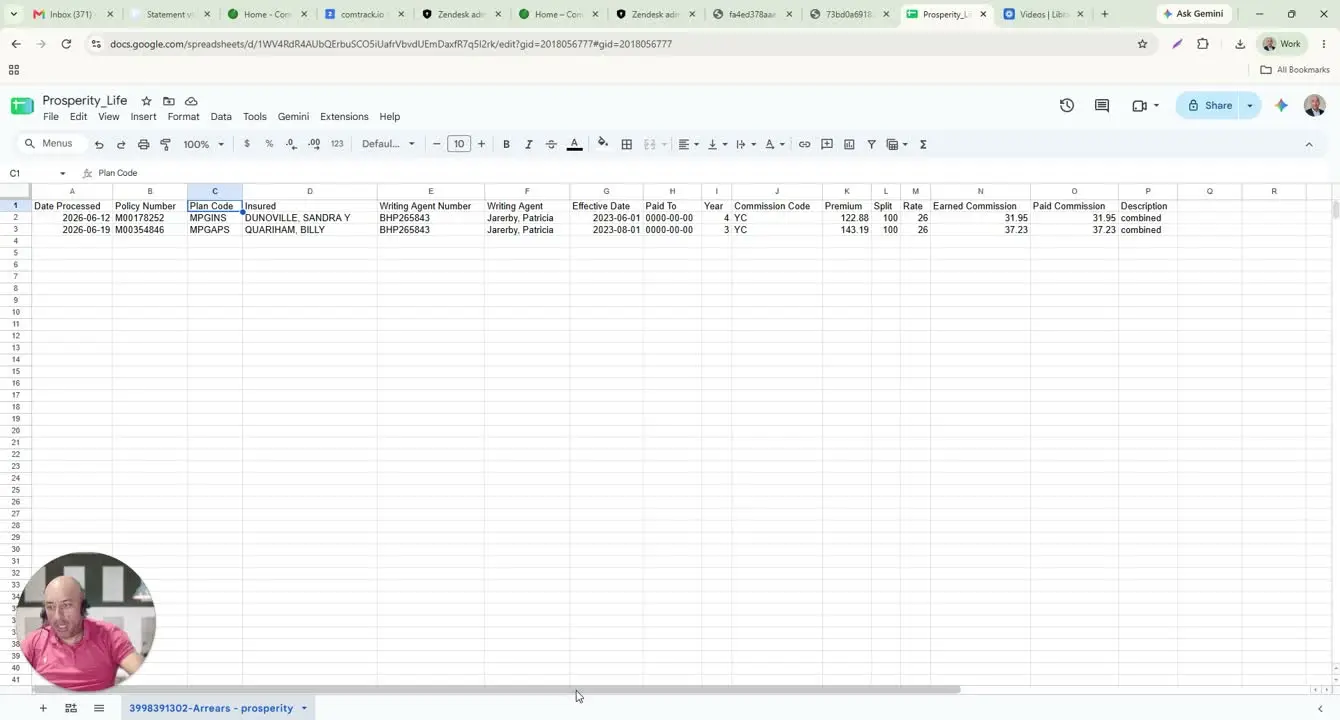
- Open the downloaded commission statement file.
- Review the key columns to understand what each row represents.
- Identify the following fields:
- Date Processed: when the premium was processed for commission.
- Policy Number / Plan Code: identifies the policy and product.
- Insured: the member enrolled on the policy.
- Writing Agent Number / Name / Age: Prosperity’s internal agent identifier and related agent details.
- Effective Date: the coverage start month/date.
- Pay-To: the date premiums are paid through, if included.
- Year: the coverage year for the policy.
- Commission Code: the commission schedule applied.
- Premium: the amount used to calculate commission.
- Split: the percentage assigned to the writing agent.
- Earned Commission: the calculated commission amount.
- Description: any note or row-level comment from Prosperity.
3. Calculate commission amounts when needed 1:58
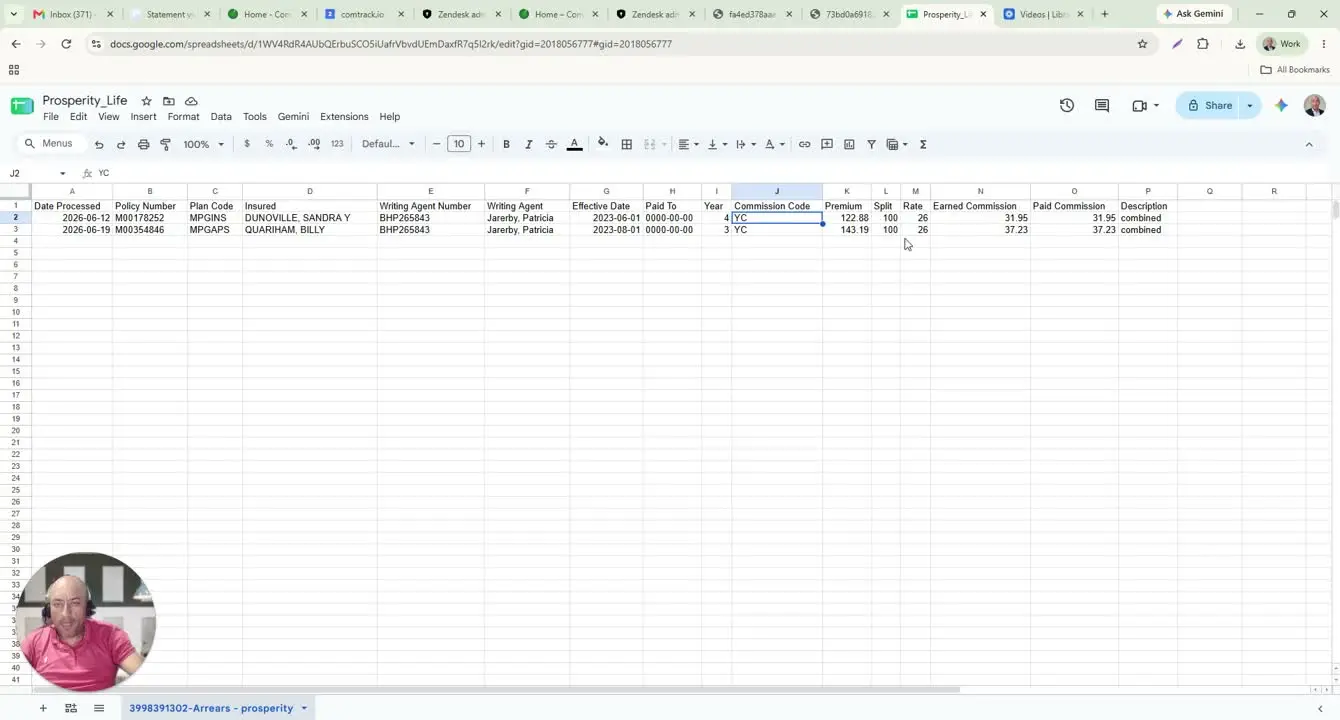
- Confirm the premium amount used for the commission calculation.
- Check the split percentage:
- If the split is 100%, the full premium amount is used for the writing agent.
- If the split is less than 100%, multiply the premium by the split percentage first.
- Apply the commission rate from the commission schedule.
- Example from the transcript:
- Premium: $122.88
- Split: 100%
- Commission rate: 26%
- Earned commission: $31.95
4. Import the statement into ComTrack for easier formatting 3:05
- Open ComTrack.
- Drag and drop the same commission statement file into the system.
- Click Digest to process the file.
- Confirm the import when prompted by selecting OK.
- Go to All Time Data to view the formatted statement.
5. Review the formatted data in ComTrack 3:35
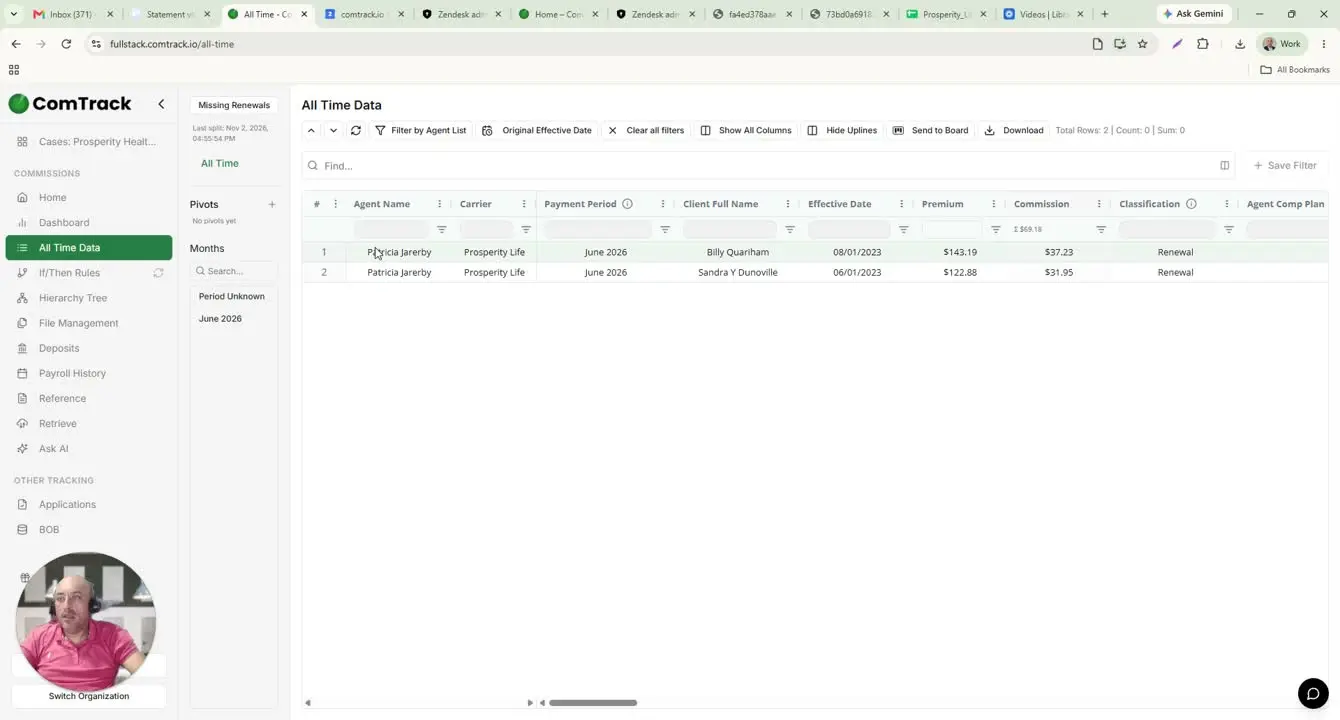
- Verify that ComTrack has organized the statement into readable columns.
- Confirm the following fields are displayed correctly:
- Agent Name
- Carrier
- Payment Period
- Client Full Name
- Effective Date
- Associated Premium
- Commission Amounts
- Check the totals shown at the top of the ComTrack view.
- Use the formatted layout to make the statement easier to read and analyze.
6. Add totals manually if the source statement does not provide them 4:04
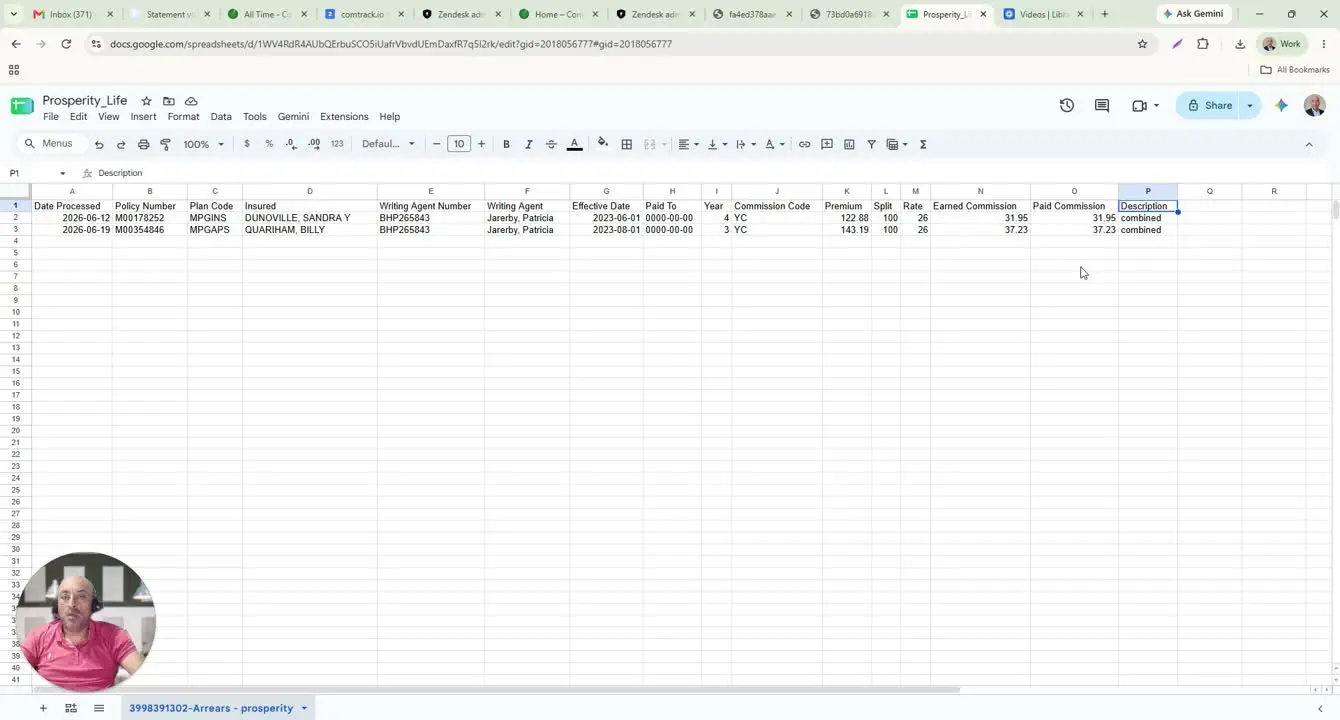
- Review the original Prosperity statement for a built-in total.
- If no total is provided, calculate the total commission manually.
- Sum the paid commission amounts as needed for reporting or reconciliation.
- Use ComTrack as a reference point, but do not assume the source file includes totals.
7. Confirm classification commissions in ComTrack 4:14
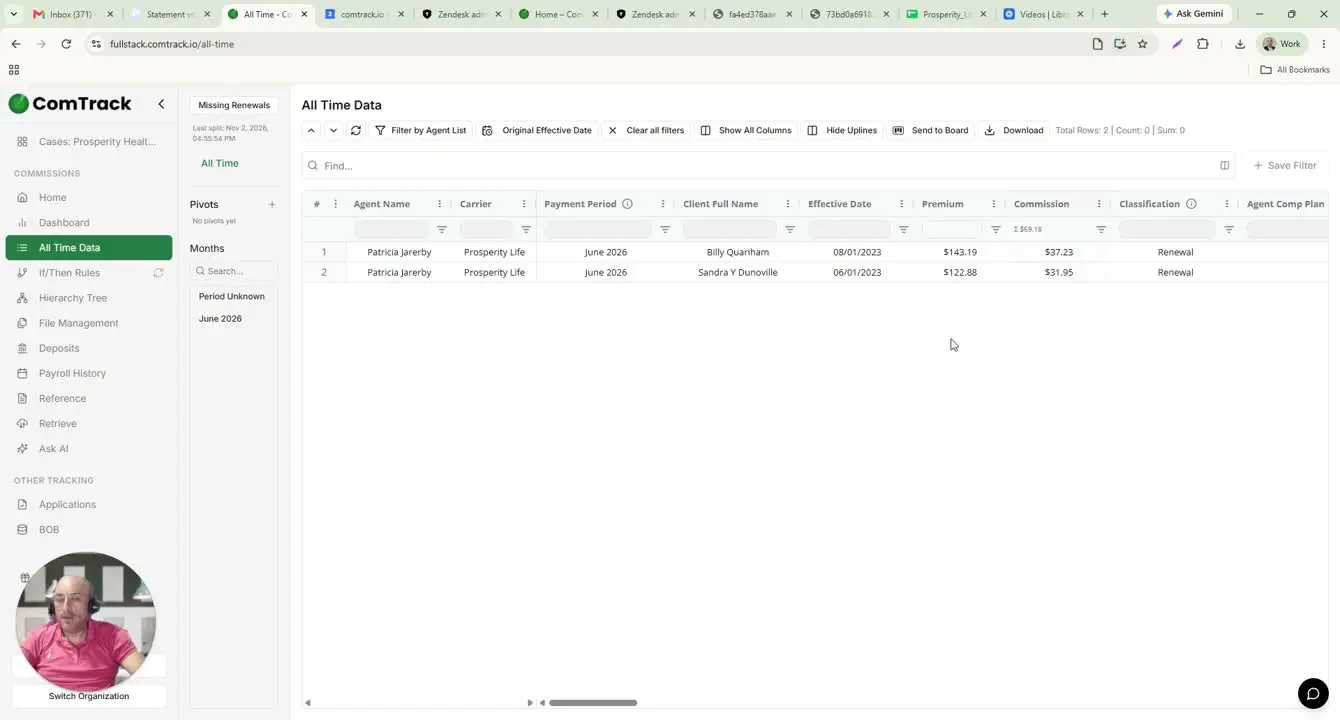
- Review the classification commissions section in ComTrack.
- Use this section to help categorize or validate commission entries.
- Compare the classification data against the original statement when needed.
- Save or document the results according to your internal workflow.
Cautionary Notes
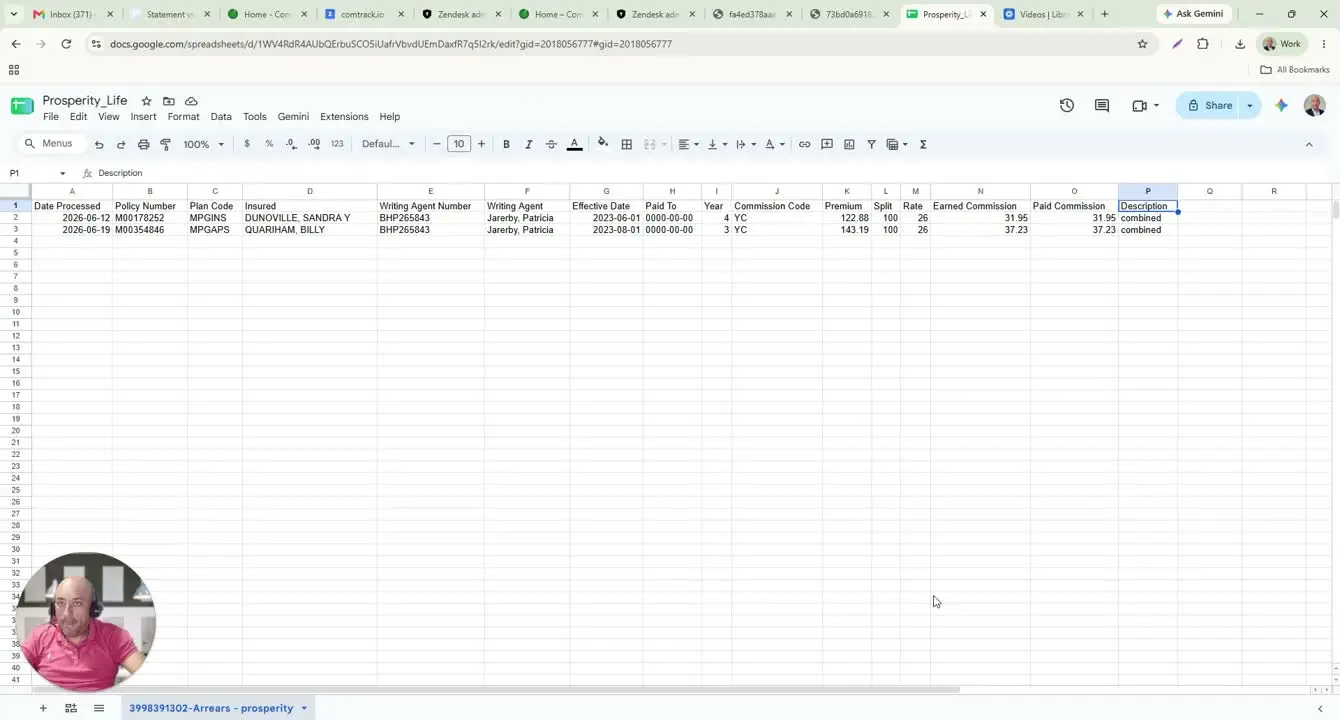
- Pay-To may appear as zeros or be missing in the export; do not assume this means the policy has no paid-through date.
- Commission totals may not be included in the original Prosperity CSV, so totals may need to be calculated manually.
- Year matters because first-year commissions may differ from renewal commissions.
- Split percentages must be applied correctly before calculating earned commission.
- Always verify that the file imported into ComTrack matches the original statement month and carrier.
Tips for Efficiency
- Use CSV format when downloading, since it is the easiest format to import and review.
- Keep a consistent naming convention for downloaded files by month to make retrieval easier.
- Use ComTrack to reduce manual formatting and improve readability.
- When reviewing commissions, check year, split, and commission code first, since these drive the payout calculation.
- If you regularly reconcile statements, create a simple spreadsheet template for manual total calculations when the source file does not include sums.