
Objective
This SOP explains how to download Allied National commission statements from Allied National Self Service and review them in ComTrack. It helps team members locate the statement, understand the key fields, and use ComTrack to view formatted totals and commission details more easily.
Key Steps
1. Access Allied National Self Service and open My Info 0:00
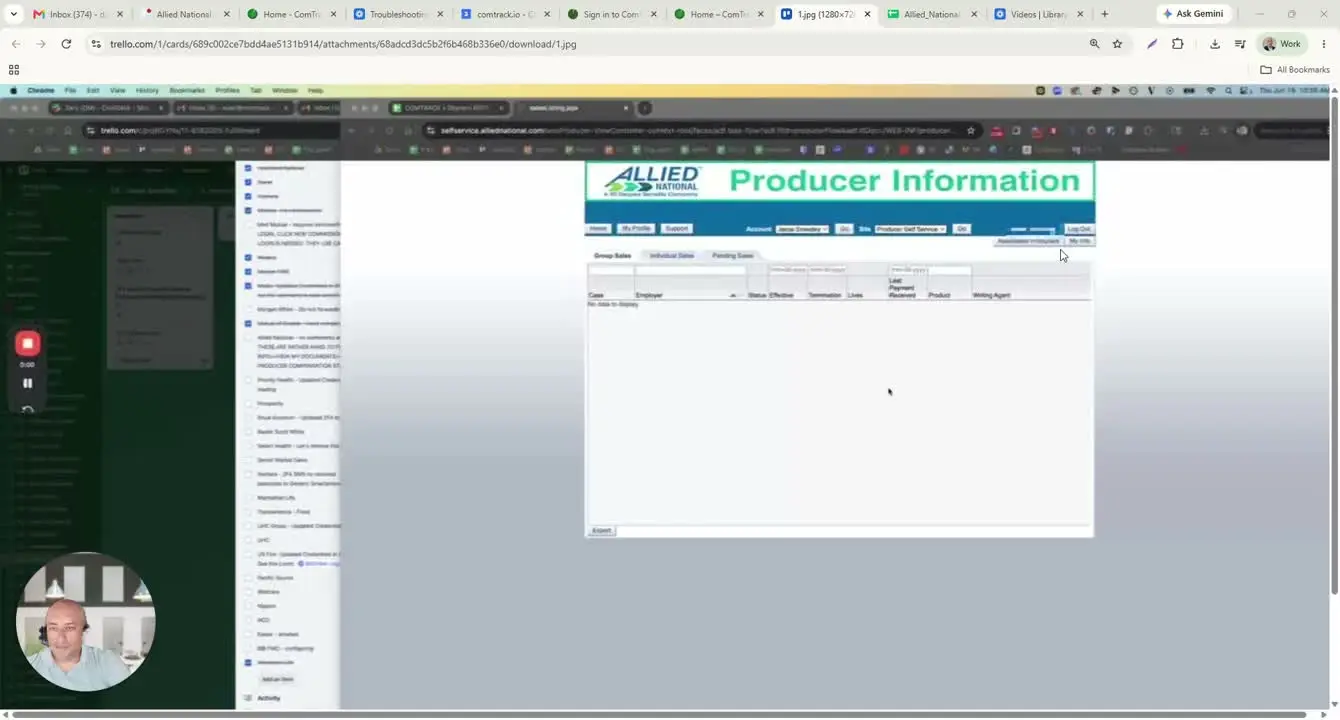
- Go to selfservice.alliednational.com and log in.
- From the main menu, select My Info.
- Use this area as the starting point for locating commission statements.
2. Open My Documents and download the statement 0:20
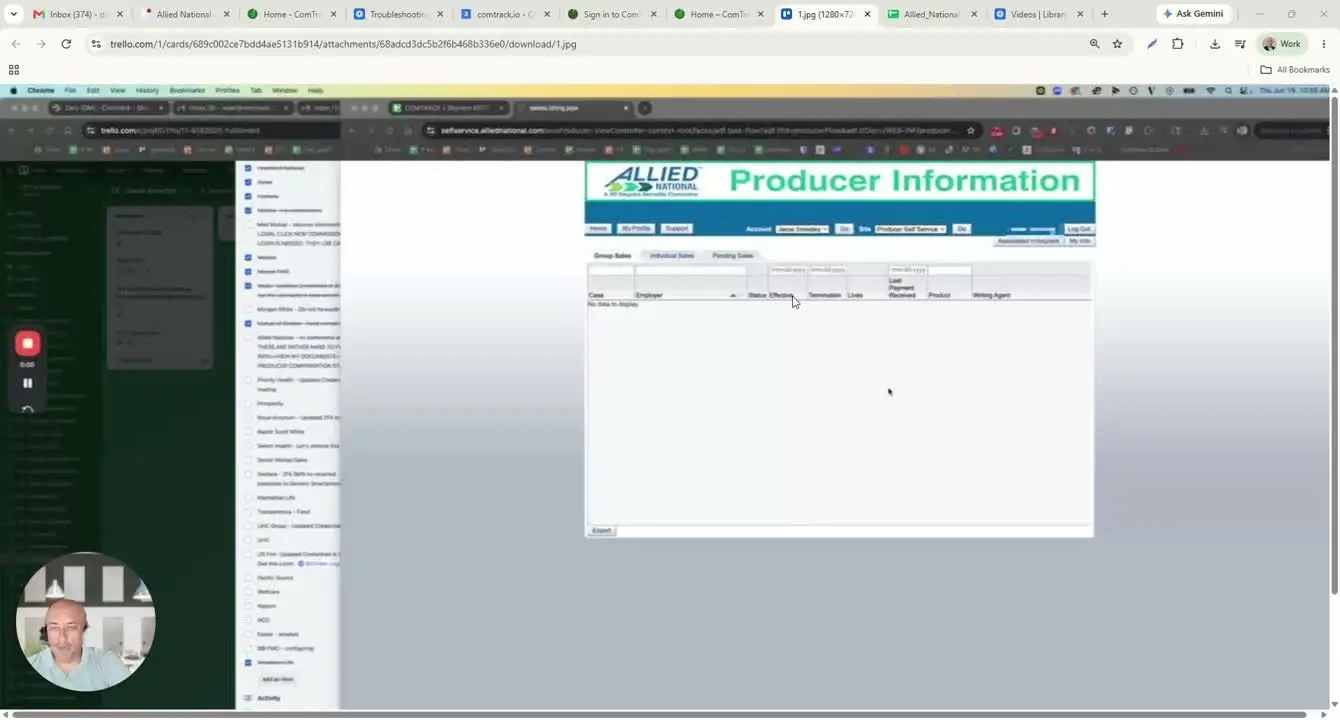
- In My Info, select My Documents.
- Find the statement for the month you need.
- Download the statement as an Excel file.
3. Identify the relevant tab in the downloaded file 0:33
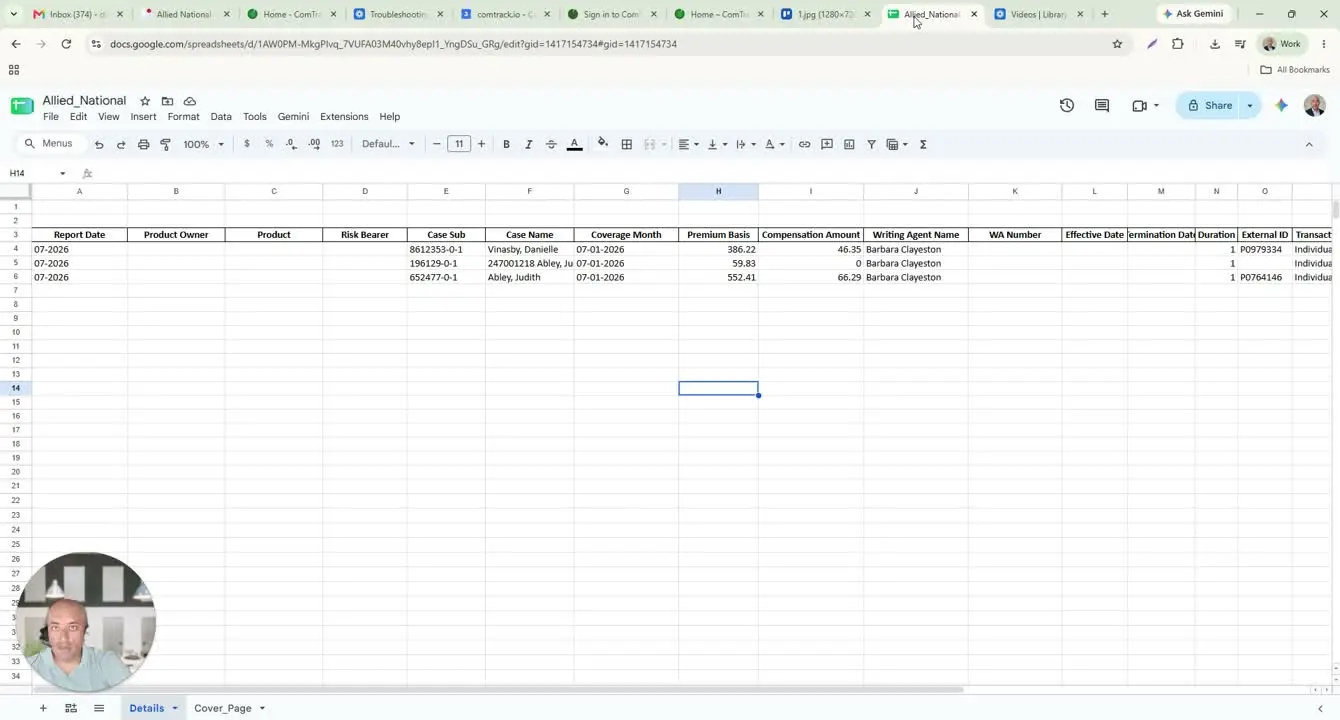
- Open the downloaded Excel statement.
- Note that the file contains two tabs.
- Ignore the cover page tab because it is mostly empty.
- Use the Detail tab for all statement review and analysis.
4. Review the key fields in the Allied National statement 0:43
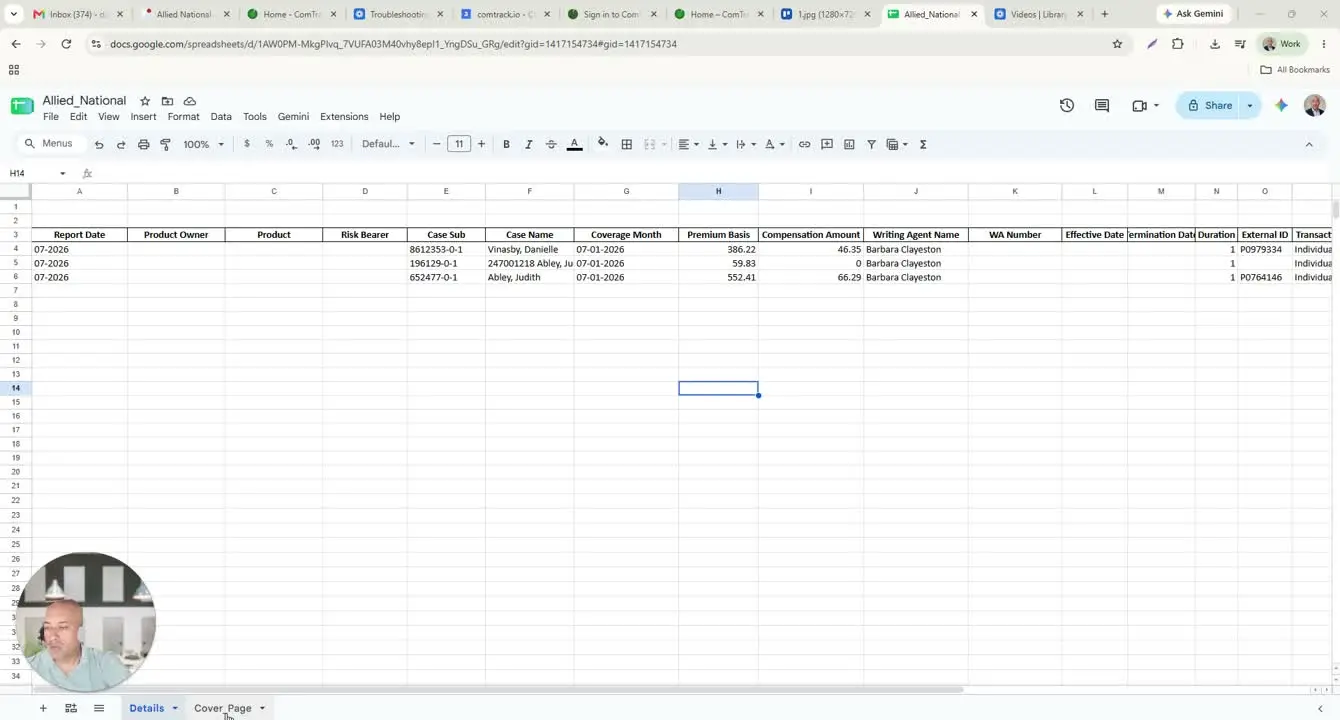
- Use the Detail tab to interpret the statement fields.
- Key columns include:
- Report Date: the commission cycle the report applies to.
- Product Owner: the company/carrier owning the product.
- Product: the plan name.
- Risk Bearer: the insurer taking the risk.
- Case Sub: Allied National case number, sub-case, and division.
- Case Name: the policy holder or policy name.
- Coverage Month: the month the coverage applies to.
- Premium Basis: the amount used to calculate commission.
- Writing Agent Name / Number: the agent who wrote the policy.
- Effective Date: when coverage started.
- Termination Date: shown if the policy ended.
- Duration: the coverage period or year indicator.
- External ID: outside policy or certificate ID.
- Transaction Message: the transaction type or line of business.
5. Understand the limitations of the raw Allied National file 2:53
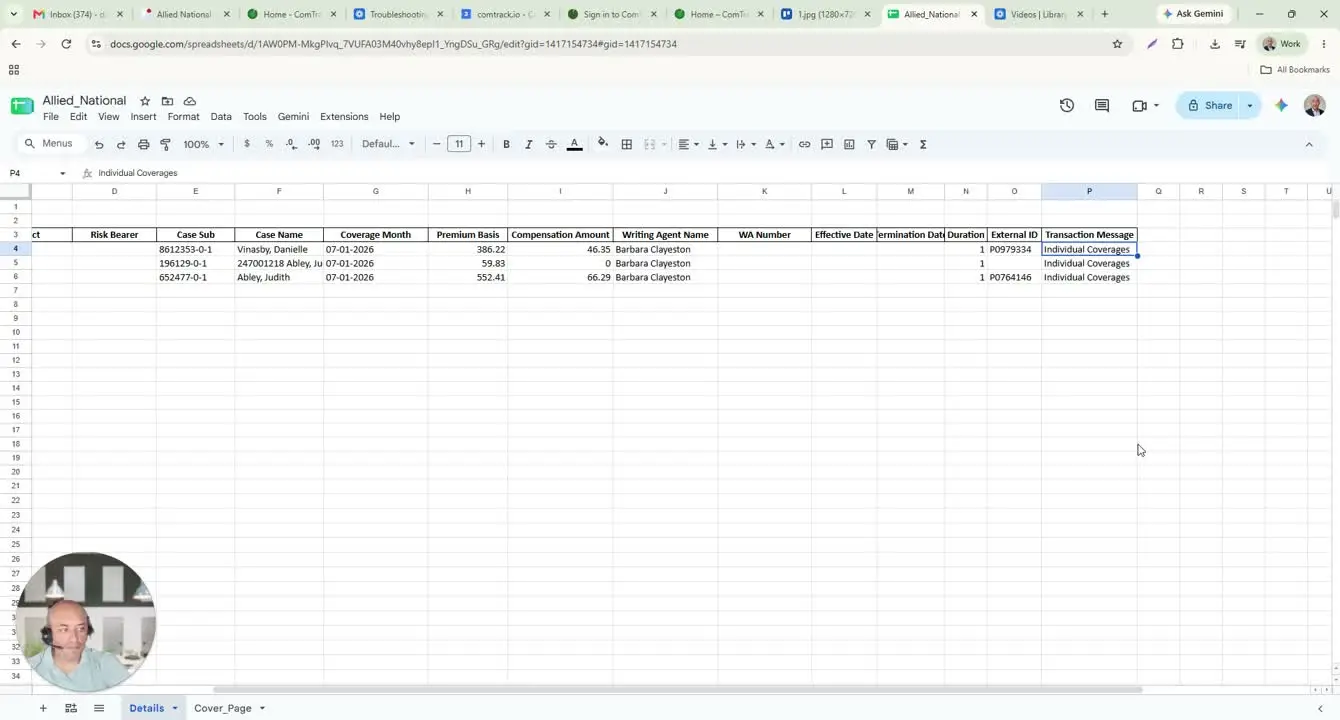
- Recognize that the raw Excel statement can be difficult to read.
- Expect some variation in how client names and other fields appear.
- Use the raw file as the source document, but not necessarily the easiest format for review.
6. Open Allied National Information in ComTrack 3:13
- Go to ComTrack.
- Navigate to Allied National Information.
- Use the same Allied National statement file you downloaded from Self Service.
7. Upload the statement and run Digest 3:23
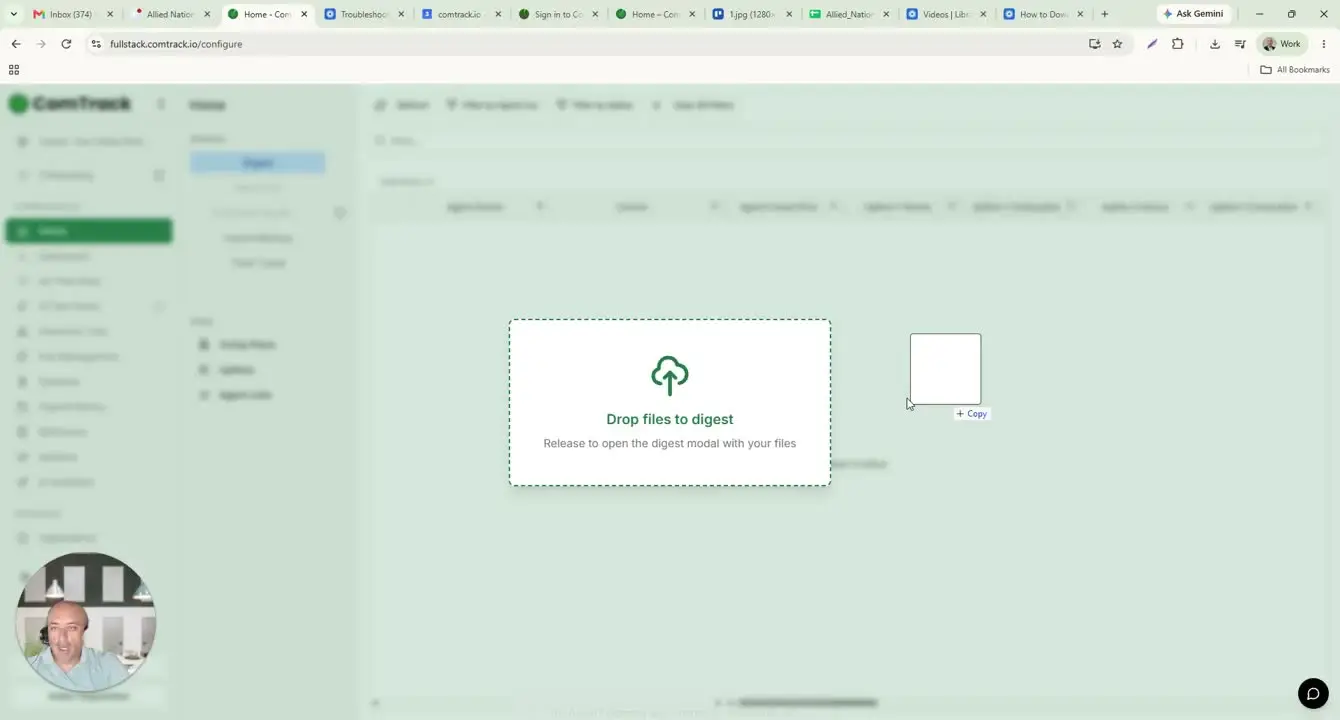
- Drag and drop the statement file into ComTrack.
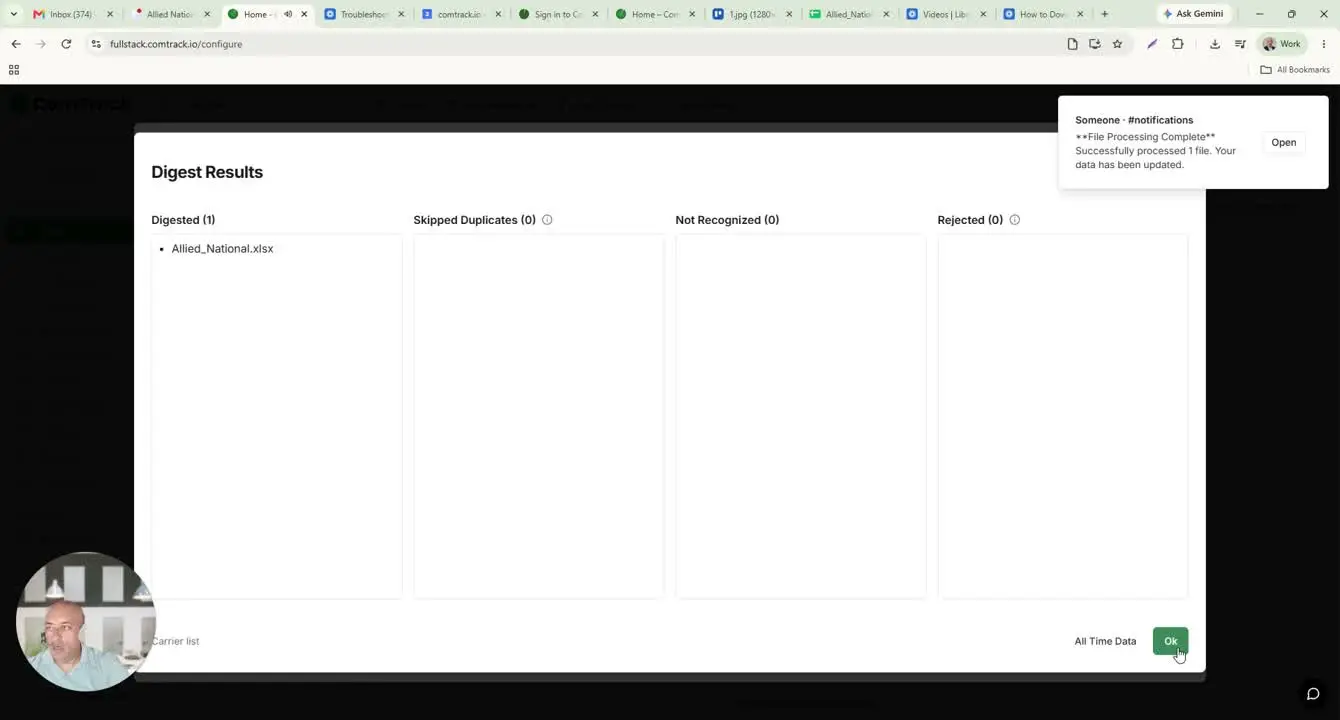
- Click Digest.
- Confirm the action by selecting OK when prompted.
- Wait for ComTrack to process and format the statement data.
8. Review the formatted data in All Time Data 3:37
- Open All Time Data after the digest completes.
- Review the extracted columns, which may include:
- Agent Name
- Carrier
- Payment Period
- Client Full Name
- Effective Date
- Premium
- Commission
- Use the built-in column explanations to understand each field.
9. Use ComTrack totals for easier reconciliation 4:07
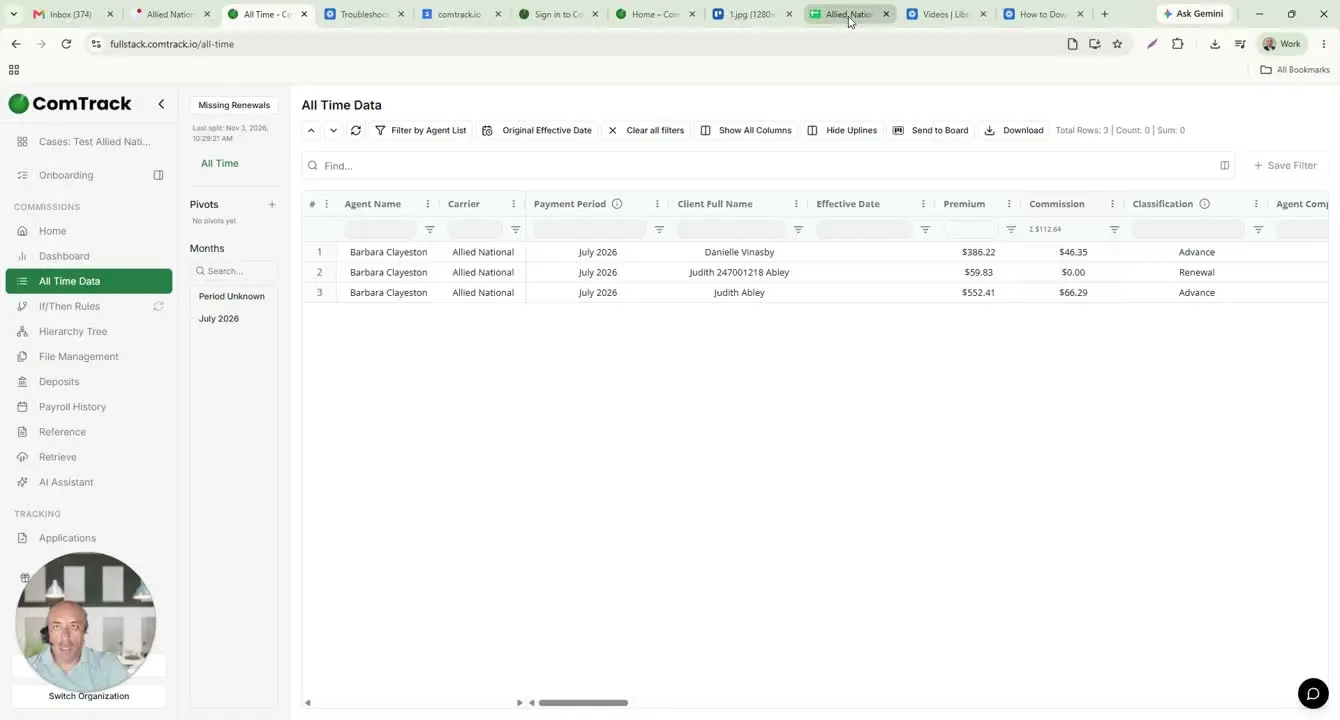
- Check the totals displayed at the top of ComTrack.
- Compare these totals to the raw Allied National statement if needed.
- Use ComTrack totals when you need a quick summary, since the Allied National file does not provide totals automatically.
- If necessary, calculate totals manually from the raw Excel statement for verification.
Cautionary Notes
- The raw Allied National Excel statement may be difficult to interpret without formatting.
- Field names and client name formats may vary from one statement to another.
- The cover page tab is not useful for analysis; focus on the Detail tab.
- The raw Allied National statement does not show totals, so manual calculation may be needed if ComTrack is unavailable.
- Always verify that you are reviewing the correct month before downloading or processing the file.
Tips for Efficiency
- Use ComTrack whenever possible to save time and reduce manual reading.
- Keep the downloaded statement file organized by month for easier retrieval.
- Familiarize yourself with the key field names so you can quickly validate data.
- Use the totals in ComTrack for faster reconciliation instead of calculating from scratch.
- If you review these statements regularly, create a consistent naming or filing convention for downloaded files.