
Objective
This SOP explains how to download a EBCA Commission Statement from the Agent Portal, review the raw Excel file, and interpret the same data in ComTrack for easier analysis. It is designed to help team members quickly locate key commission details without manual calculations.
Key Steps
1. Download the EBCA Commission Statement from the Agent Portal 0:11
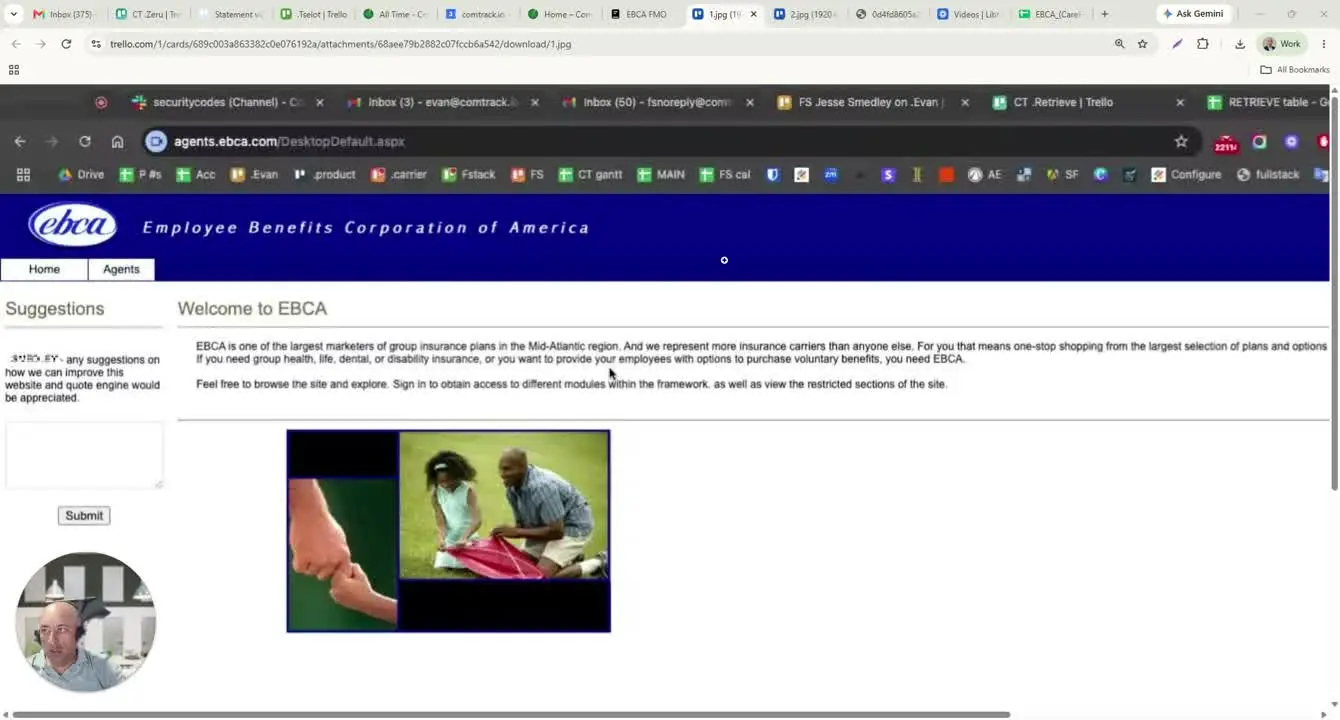
- Log in to the Agent Portal.
- Navigate to Agents.
- Click Statements.
- Select the option to download the EBCA Commission Statement in Excel format.
- Save the file to a known location so it can be opened or uploaded later.
2. Review the raw Excel statement structure 0:36
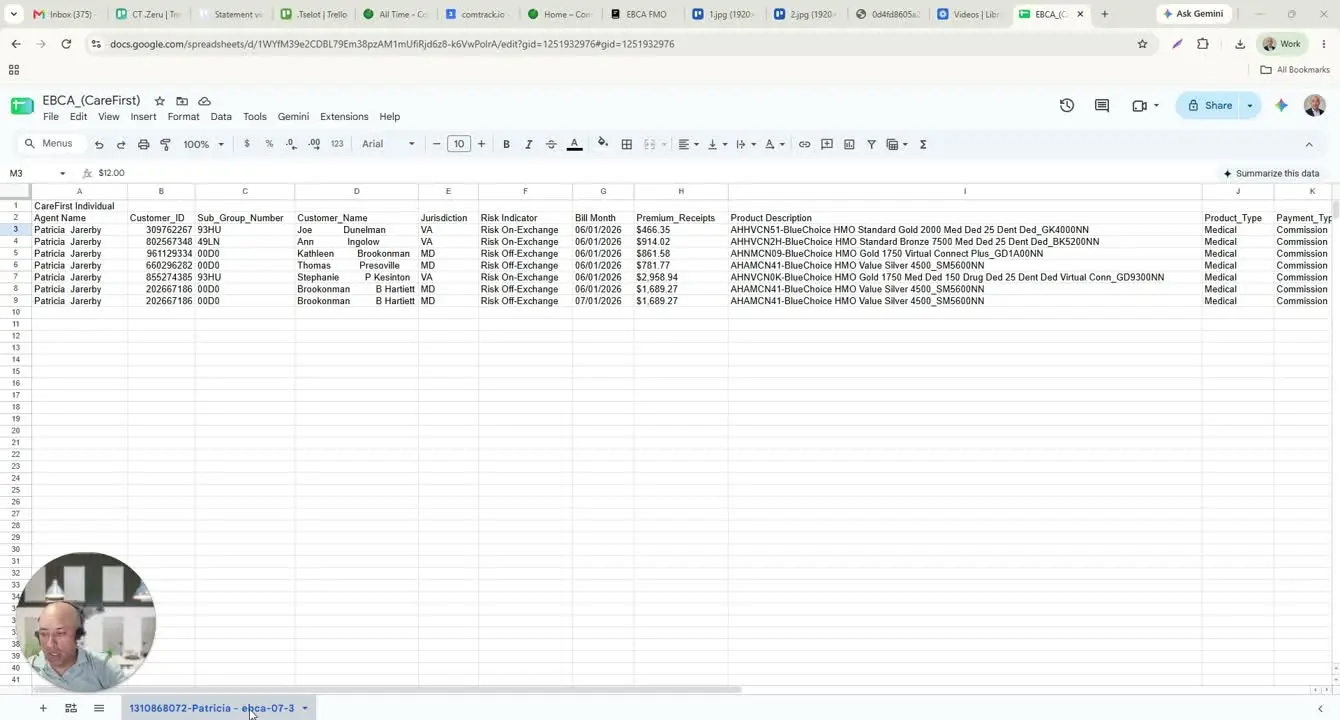
- Open the downloaded Excel file.
- Confirm that the statement contains one tab only.
- Identify the main columns and understand what each represents:
- Agent Name: the writing agent.
- Customer ID: policy/customer identifier.
- Subgroup Number: identifier provided by CareFirst for the policy.
- Customer Name: policyholder first and last name.
- Jurisdiction: state of coverage.
- Risk Indicator: indicates whether the policy was acquired through the marketplace or directly.
- Bill Month: month of coverage.
- Premium Receipts: premium received by EBCA/CareFirst.
- Product Description: plan name.
- Product Type: plan category, such as medical.
- Payment Type: commission or another payment type such as chargeback.
- Current Contracts: count of contracts.
- Rate / Payment Amount: commission rate and amount.
- Payment Through Date: end date covered by the payment.
3. Understand the key data fields in the statement 1:27
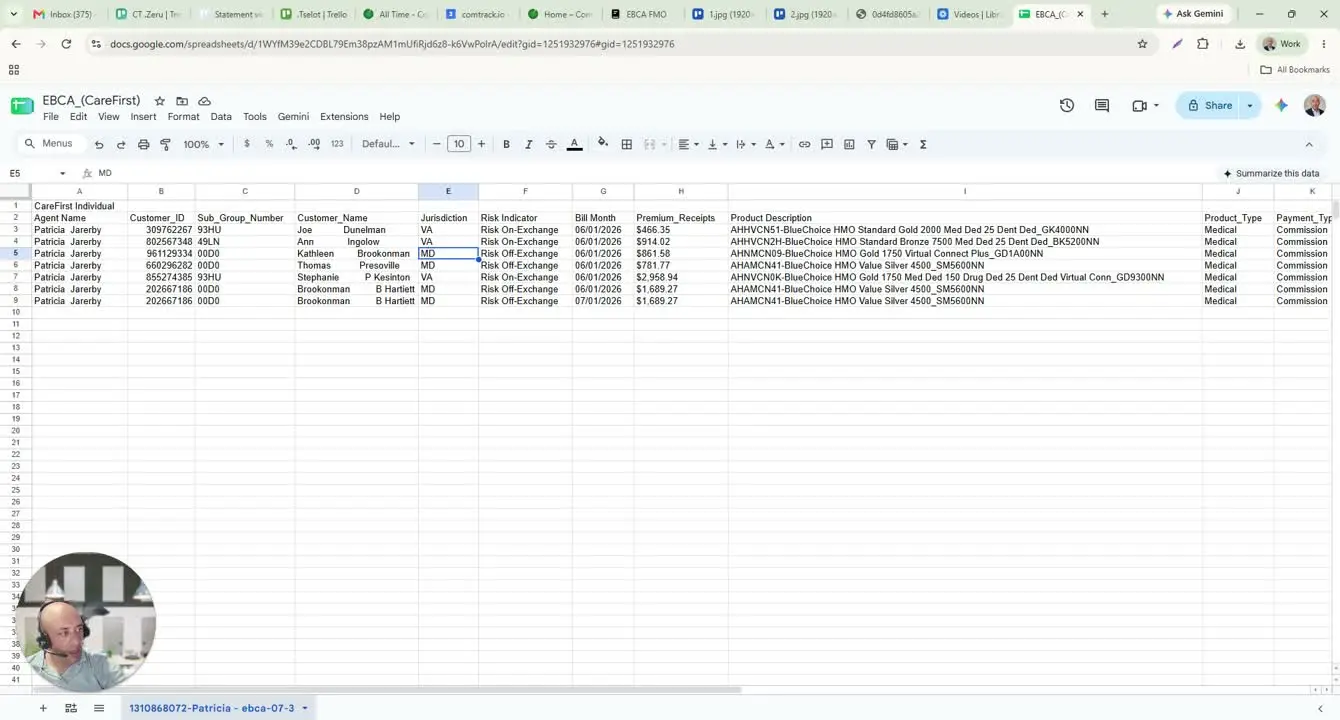
- Use the statement to verify the policy’s coverage details and commission information.
- Pay attention to the jurisdiction, which may include states such as Virginia, Maryland, and D.C./Northern Virginia coverage areas.
- Check the risk indicator to determine whether the policy came from the marketplace or was acquired directly.
- Confirm the payment type to ensure the entry is a commission and not a chargeback or another adjustment.
- Review the rate and payment amount to confirm the commission value shown on the statement.
4. Upload the statement into ComTrack for organized review 2:47
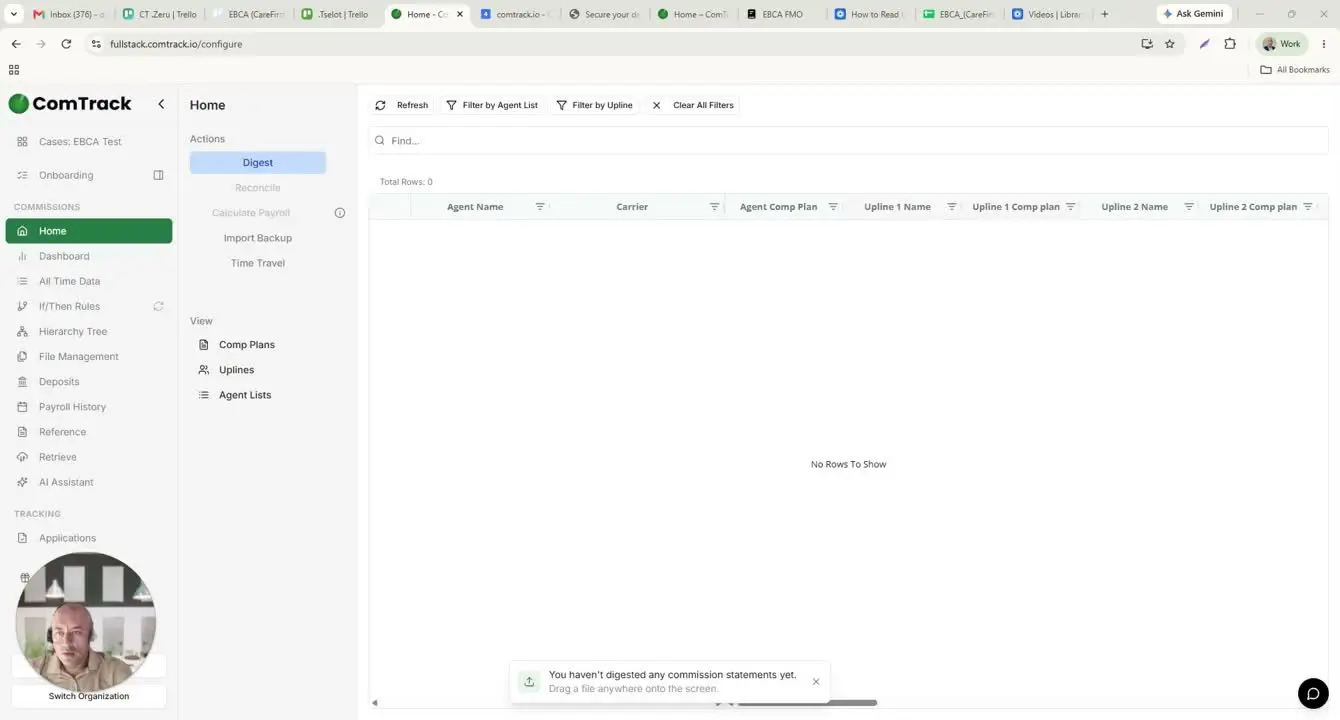
- Open ComTrack.
- Drag and drop the same EBCA Commission Statement file into the system.
- Click Digest to process the file.
- Wait for ComTrack to finish reading and formatting the statement.
- Click OK once processing is complete.
5. Review the processed data in ComTrack 3:23
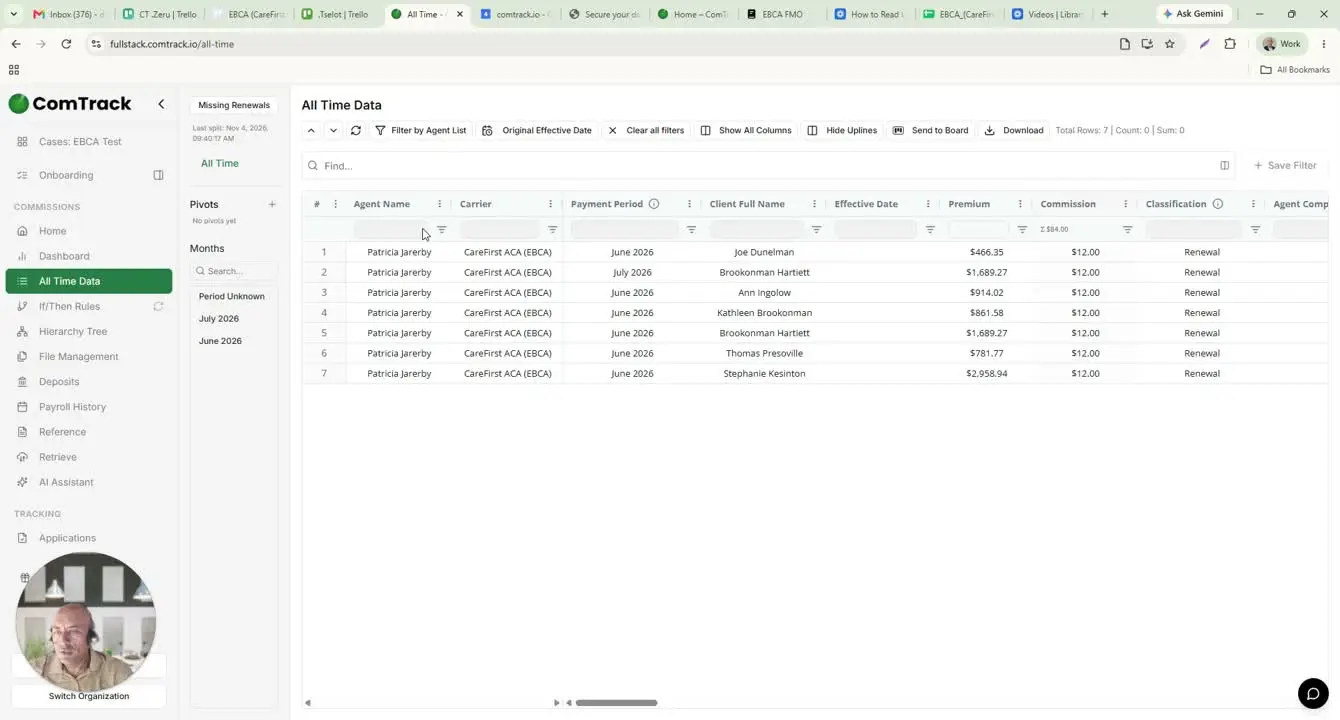
- Go to All Time Data in ComTrack.
- Review the organized columns, which typically include:
- Agent Name
- Carrier
- Payment Period
- Client Full Name
- Effective Date
- Premium
- Commission Amount
- Total
- Confirm that client names are standardized into first-name/last-name format.
- Use the displayed totals to avoid manual calculations.
- Review the classification assigned to each commission entry.
6. Compare raw statement data with ComTrack output 3:54
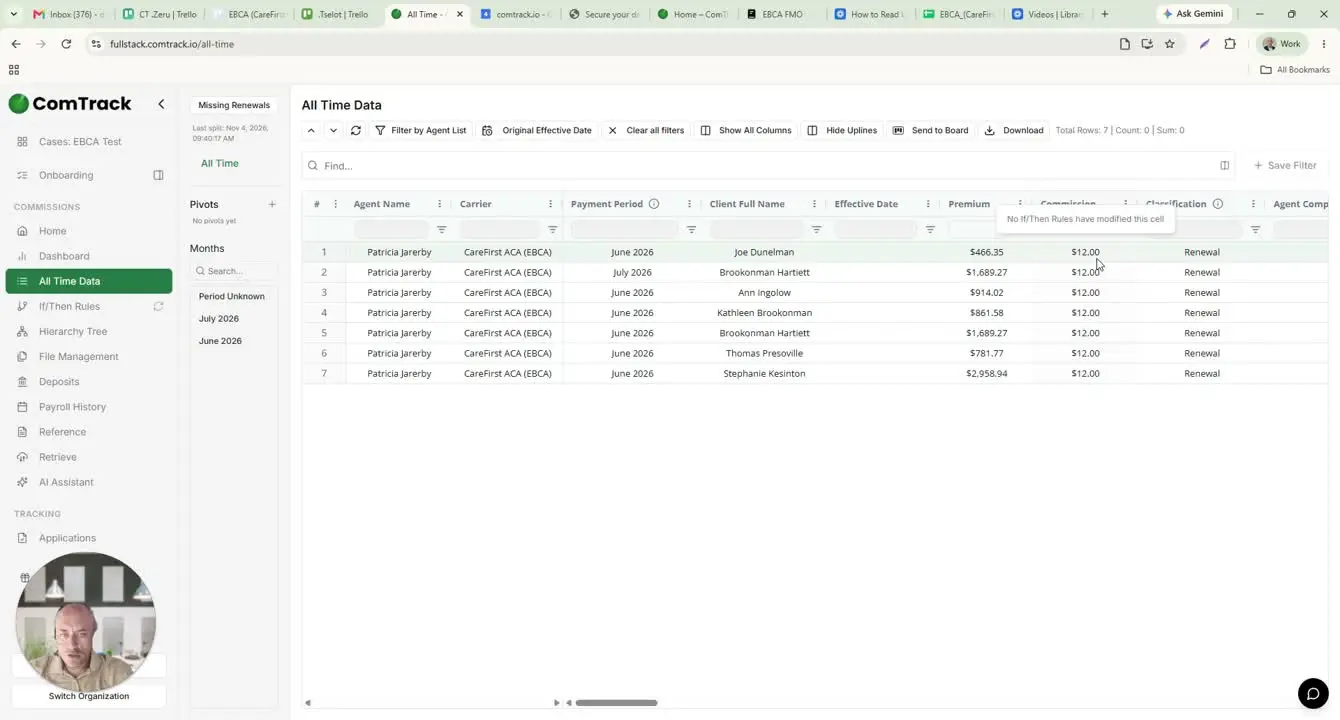
- Use the raw Excel statement when you need to inspect original source data.
- Use ComTrack when you need a cleaner, more organized view of the same information.
- Compare both views if you need to verify accuracy or troubleshoot a discrepancy.
- Rely on ComTrack for faster review and easier interpretation of commission totals.
Cautionary Notes
- Do not assume all payment entries are commissions; verify the Payment Type before using the data.
- Customer names may contain extra spaces in the raw Excel file, so review formatting carefully.
- Jurisdiction/state coverage may vary, so confirm the correct coverage area before reporting or reconciling data.
- Do not manually calculate totals unless necessary; ComTrack provides organized totals and classifications.
- If the file does not process correctly in ComTrack, confirm that the correct EBCA Commission Statement file was downloaded.
Tips for Efficiency
- Save the downloaded statement in a consistent folder structure for easy retrieval.
- Use ComTrack whenever possible to reduce manual sorting and calculation time.
- Verify the statement month and payment-through date first to ensure you are reviewing the correct period.
- Cross-check the agent name and customer ID when validating entries.
- Keep a reference list of common product descriptions and payment types to speed up review.